
GoDaddy: How to Purchase a Domain
This guide goes over how to purchase a professional domain from GoDaddy.
Aug 30, 2024●
1
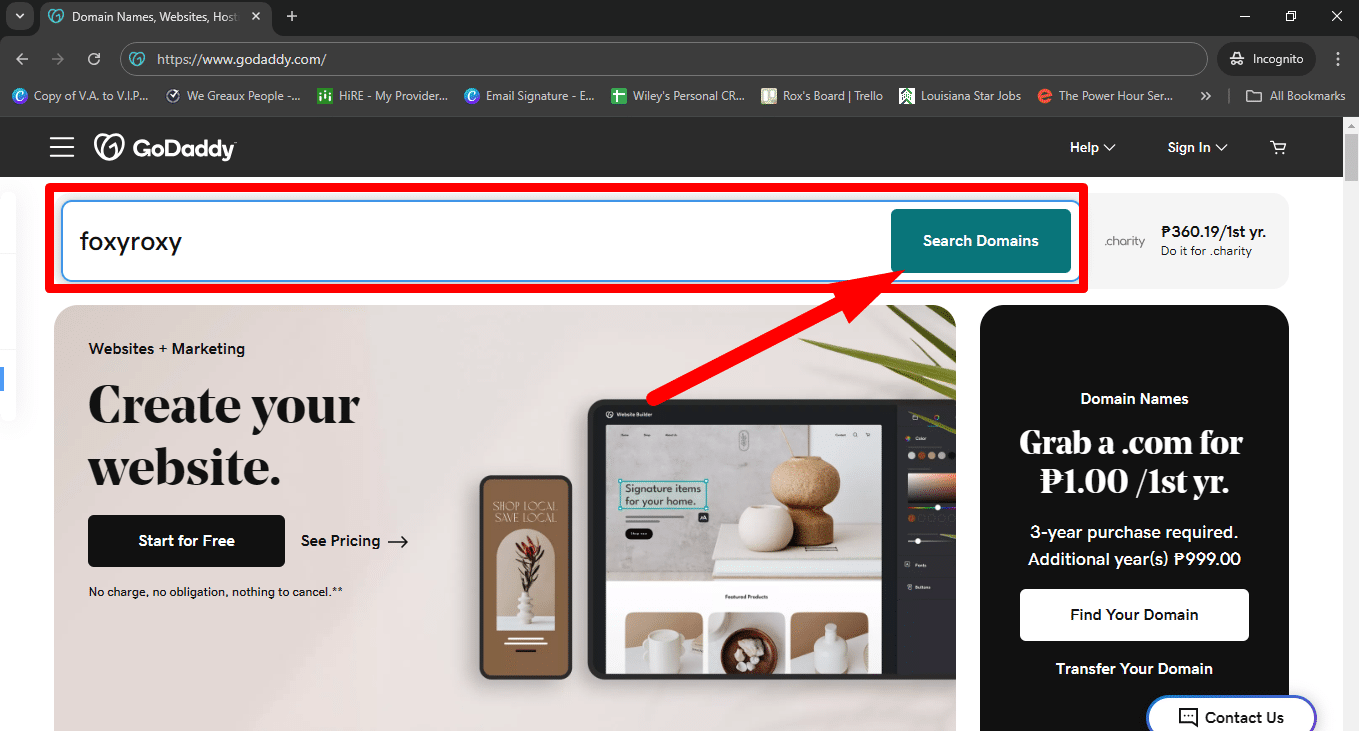
Navigate to https://www.godaddy.com/
](https://assets.guidejar.com/uploads/gsx2PA9XlMDvHAg0aw3Z/bqWucQdQNhc1YxfrwKTlvhz8lYj1/29c773e7-7773-4782-b0b3-d1e7eb9a166e/1720216247556.jpeg)
2
- Type the domain name you'd like to check for availability
- Click on 'Search Domains'.
3
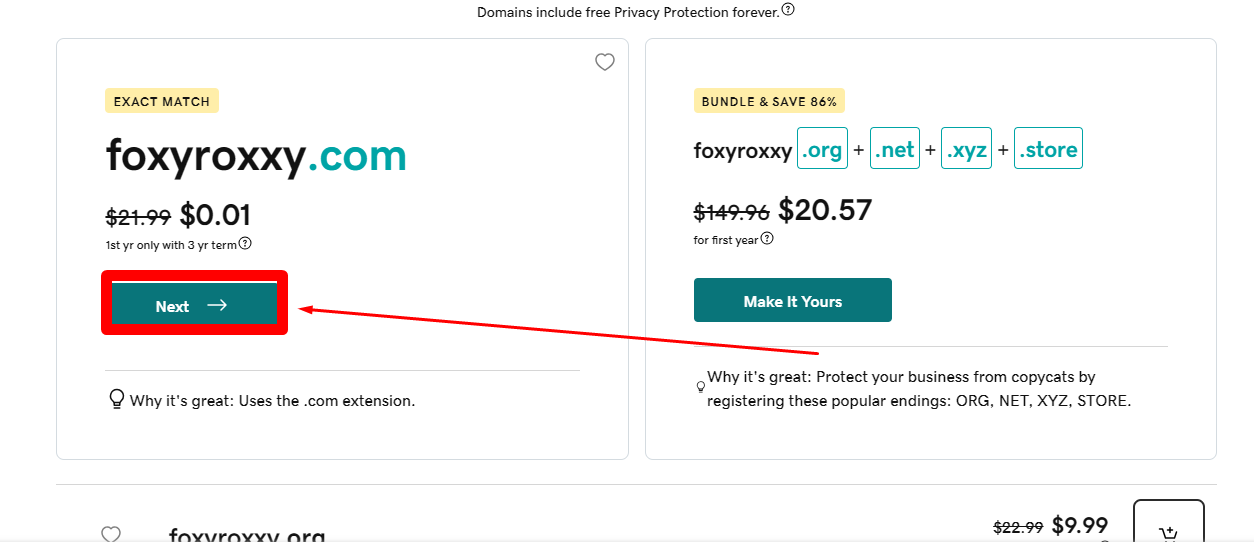
If the domain name is available, then click on 'Make it Yours'. Choose the single .com version or whatever extension you want to choose from.
4
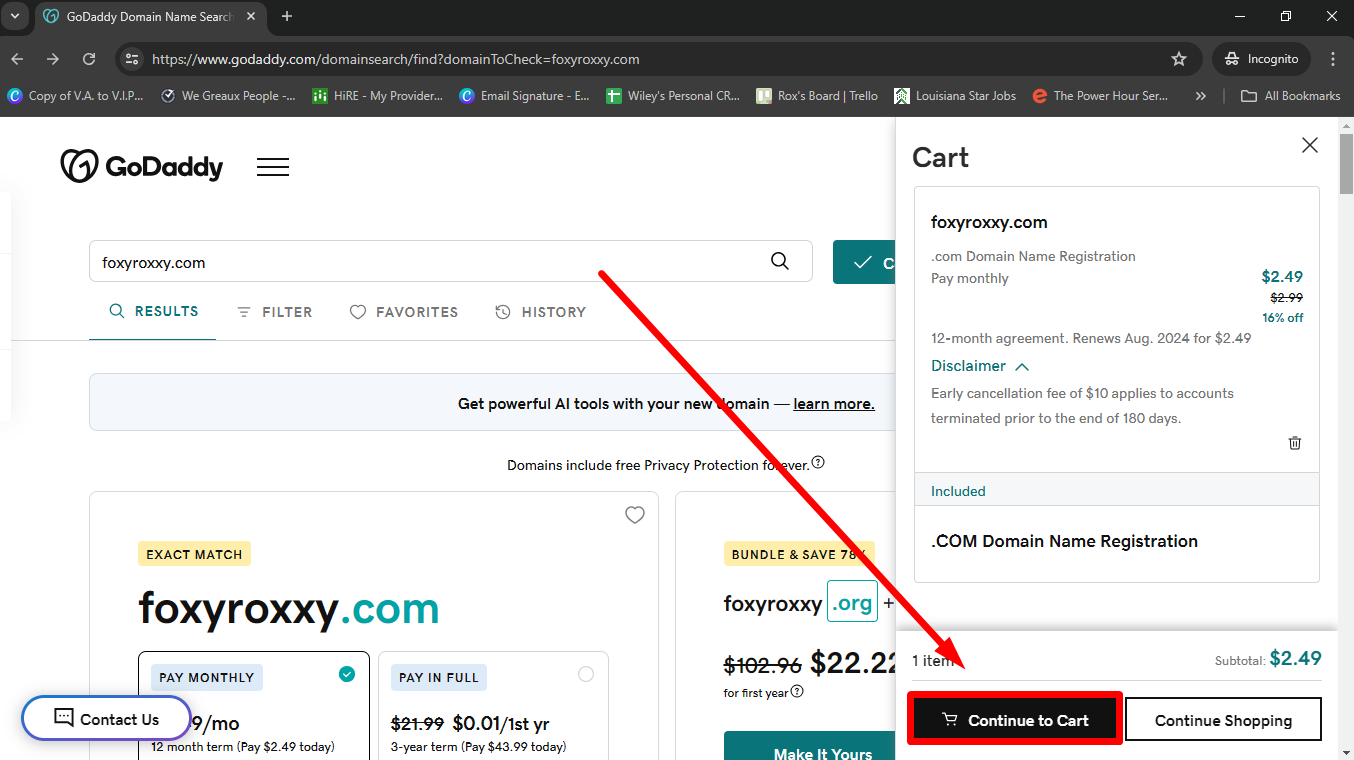
Click on 'Continue to Cart'
5
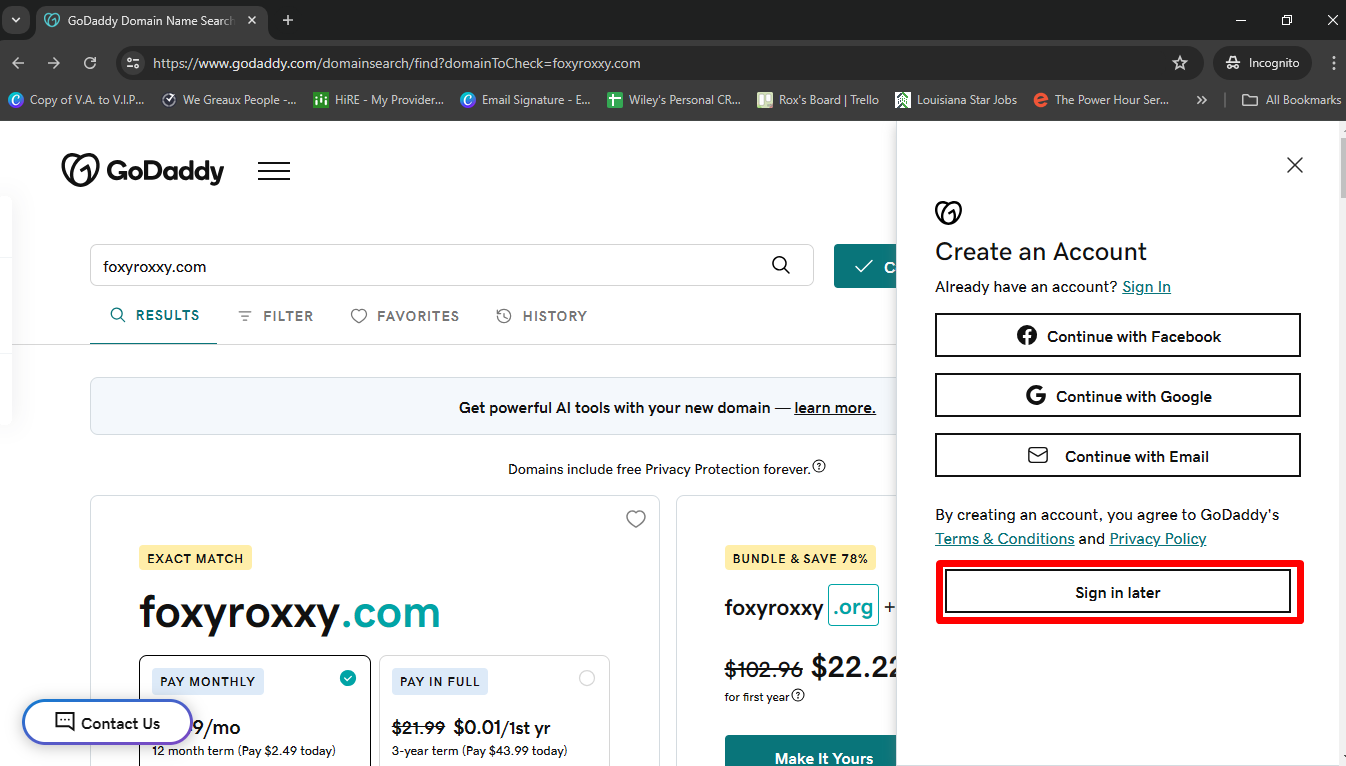
Click on 'Sign in Later'
6
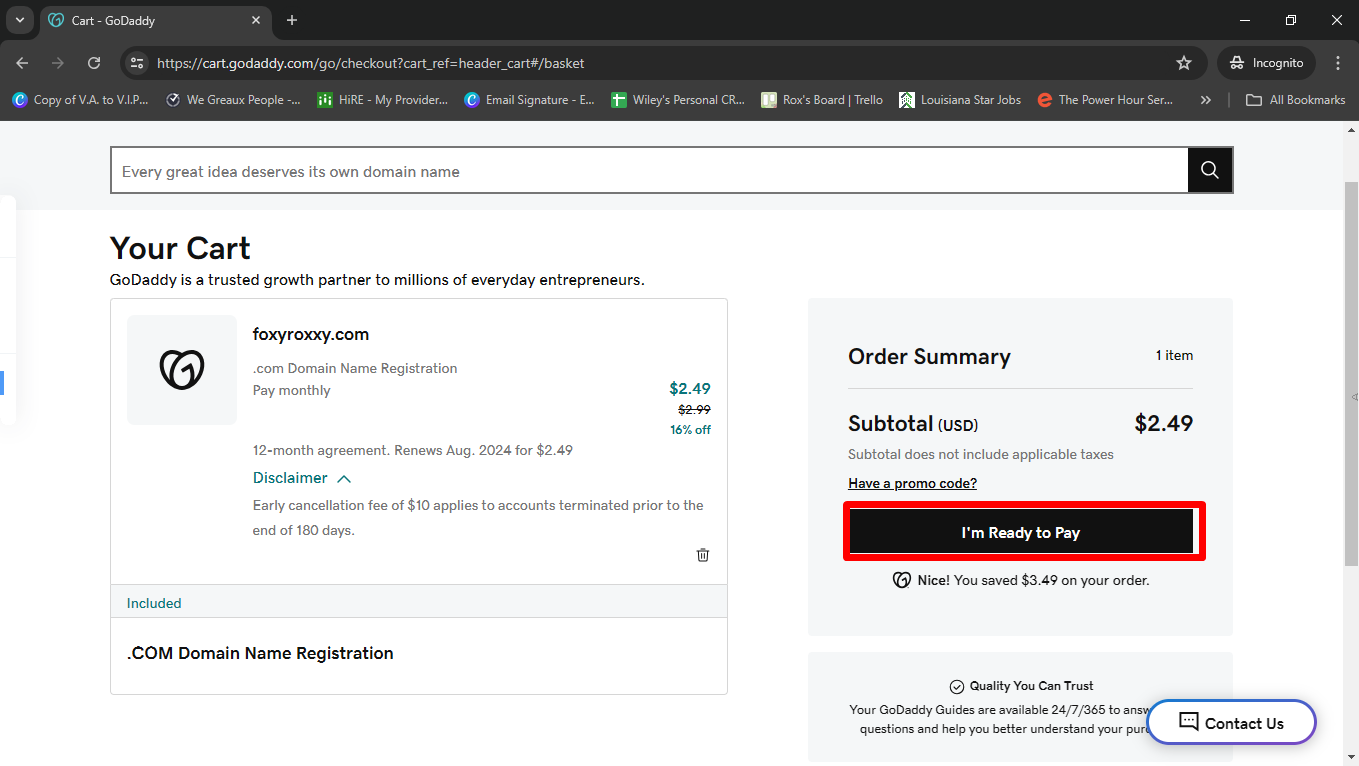
Click on 'I'm Ready to Pay'
7
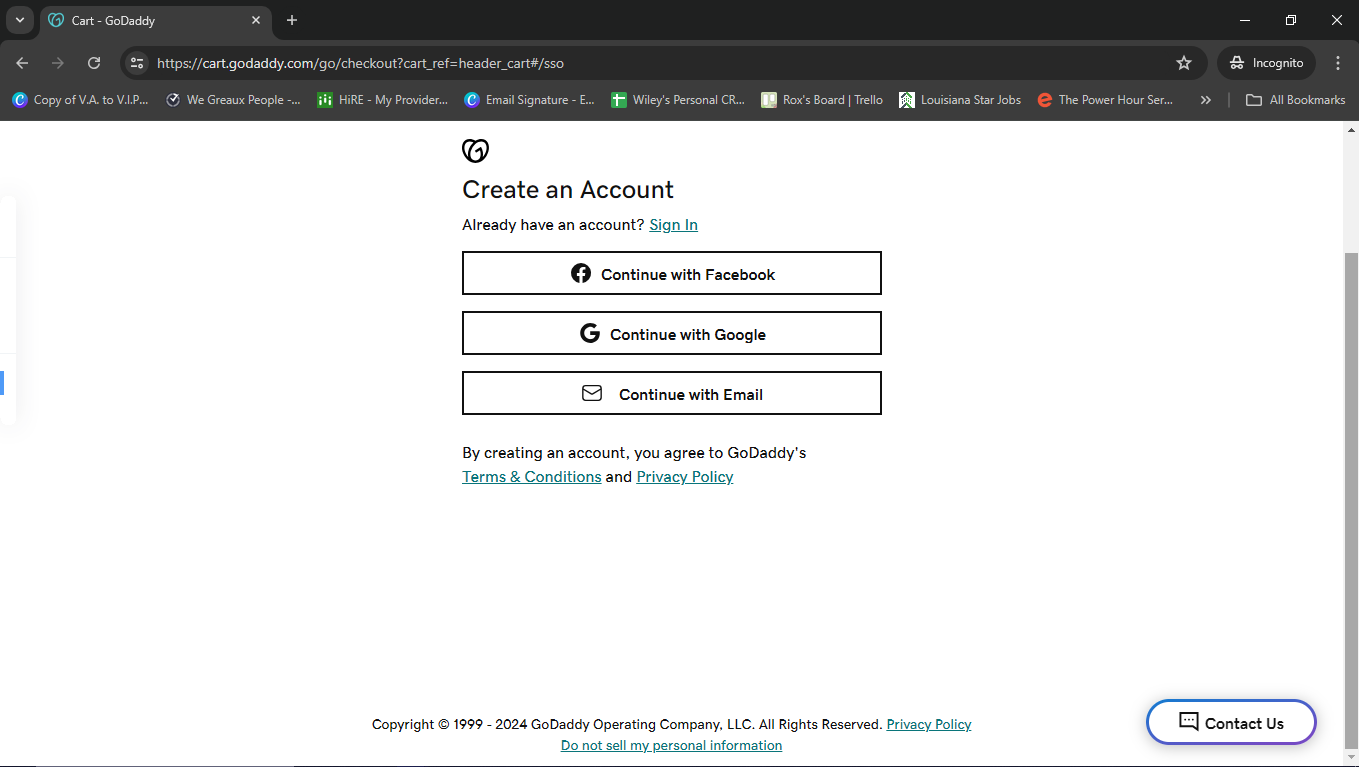
If you do not have an account yet, Create an Account. If you do have an account, then Sign In
8
Fill in your personal information as well as your payment details and then you're good to go! Please let us know your domain name and we can get you started!