logo

How To Sign Your Contract In Notch

1

Go to your gmail and search "collaborative space".
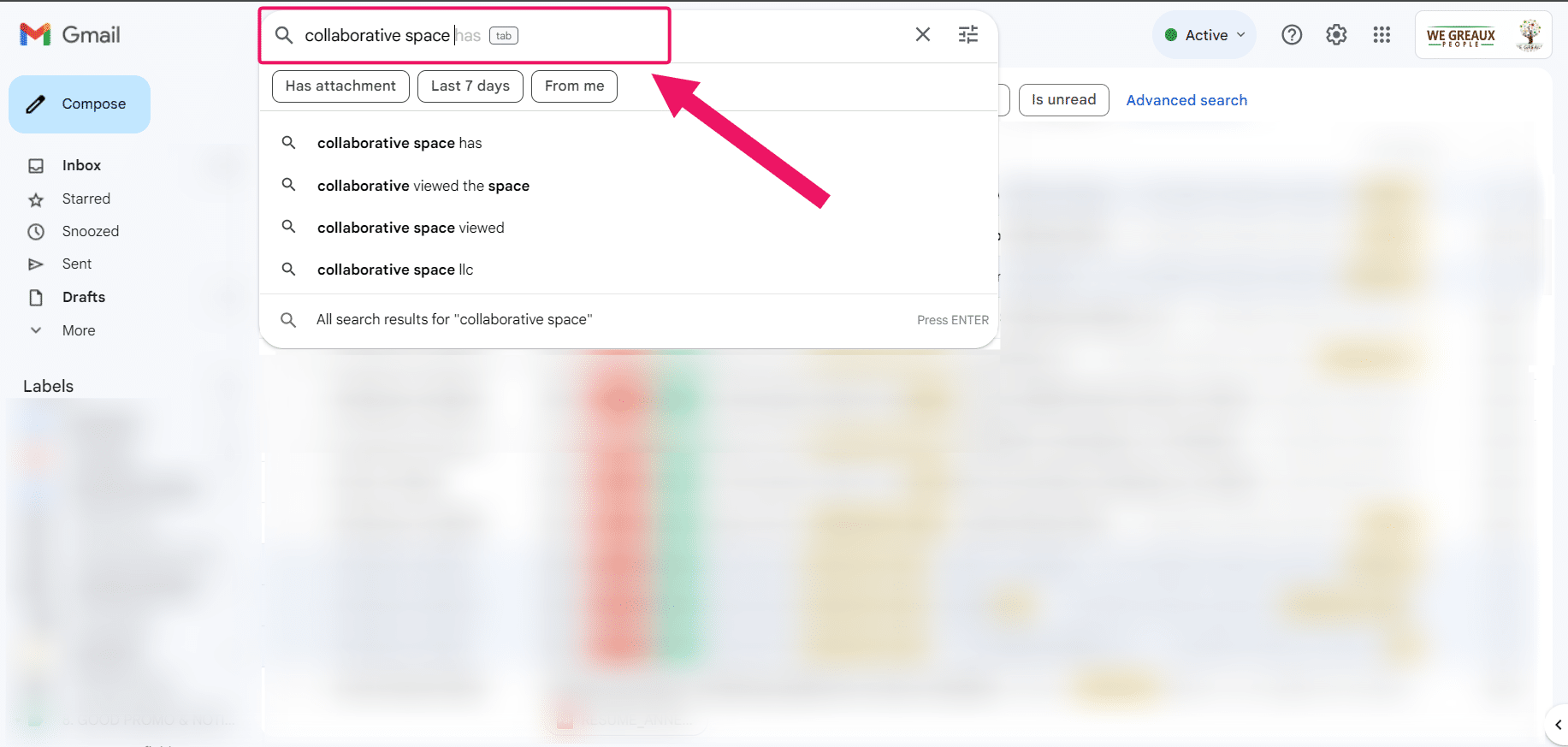
Go to your gmail and search **"collaborative space"**.
2

Click on the email "We Greaux via Notch"
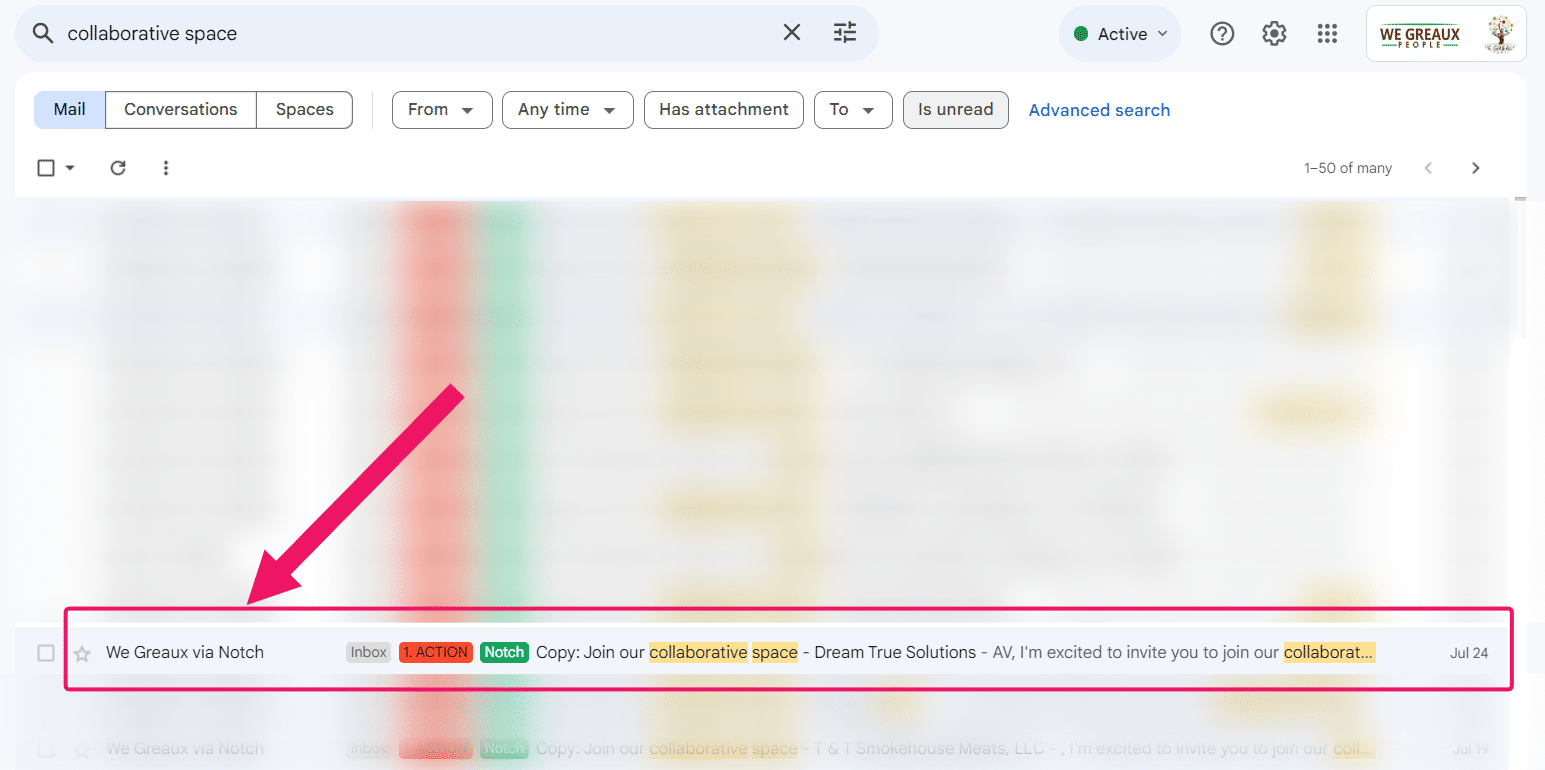
Click on the email **"We Greaux via Notch"**
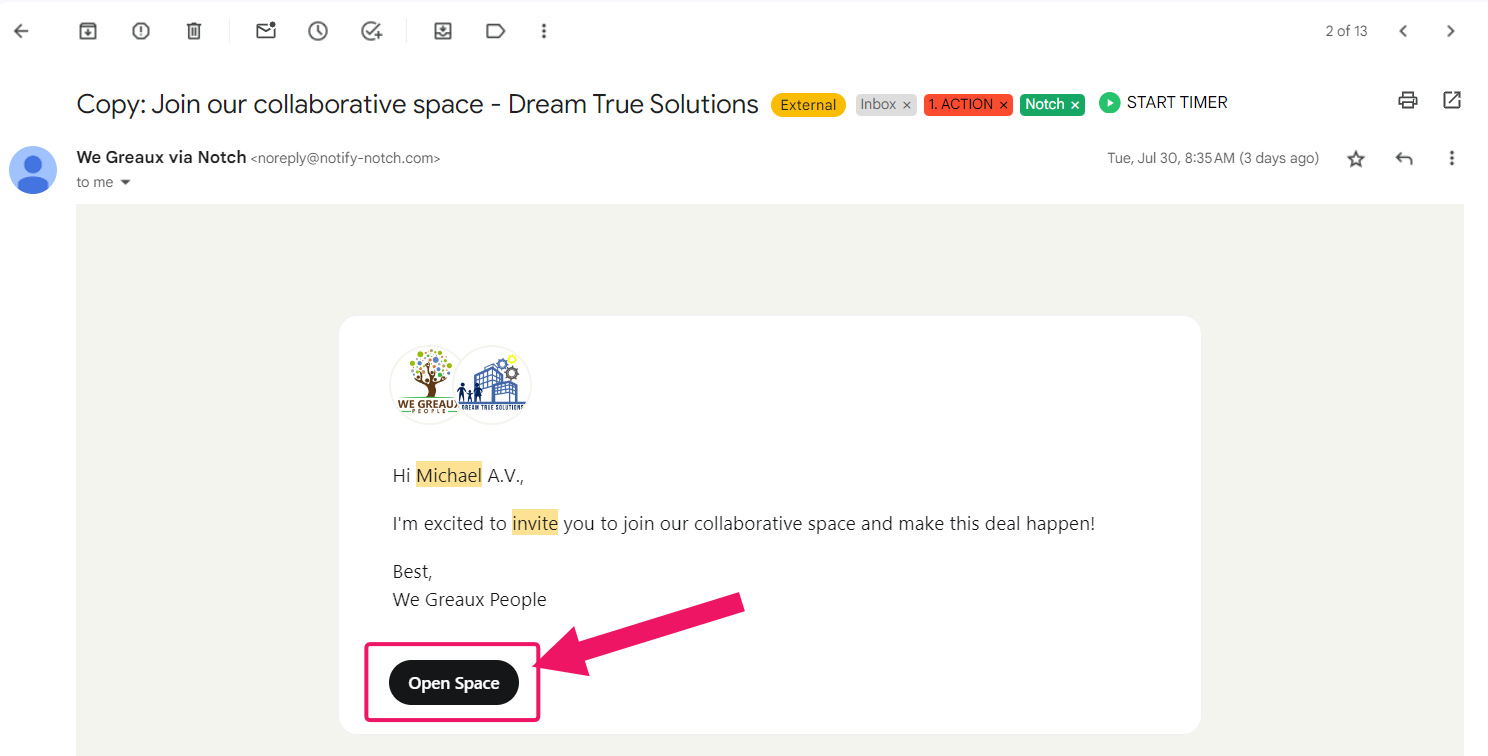
3

Click "Open Space"

Click **"Open Space"**
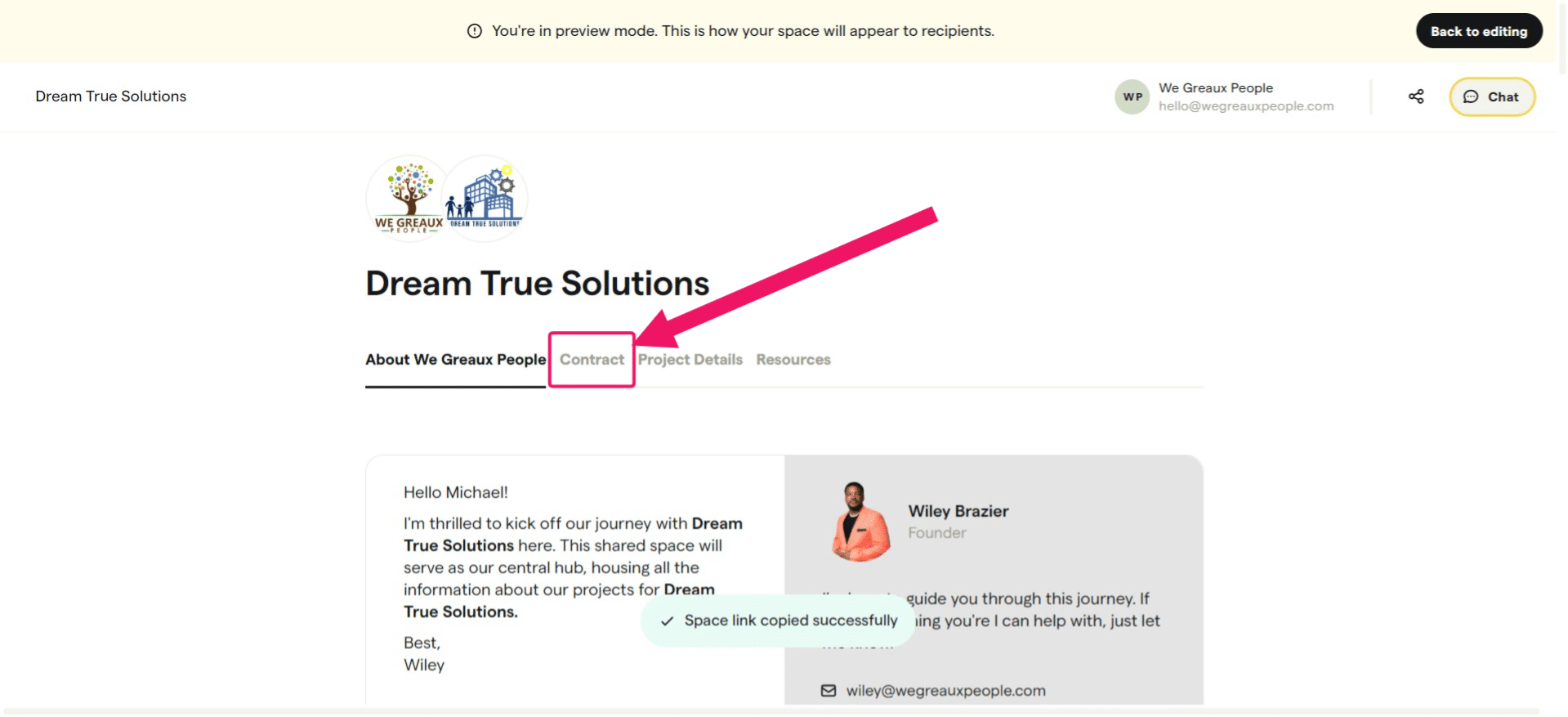
4

In the space, go to "Contract Tab"

In the space, go to **"Contract Tab"**
5

Scroll down to see your name. Click on the signature button and then type your name as your e-signature.
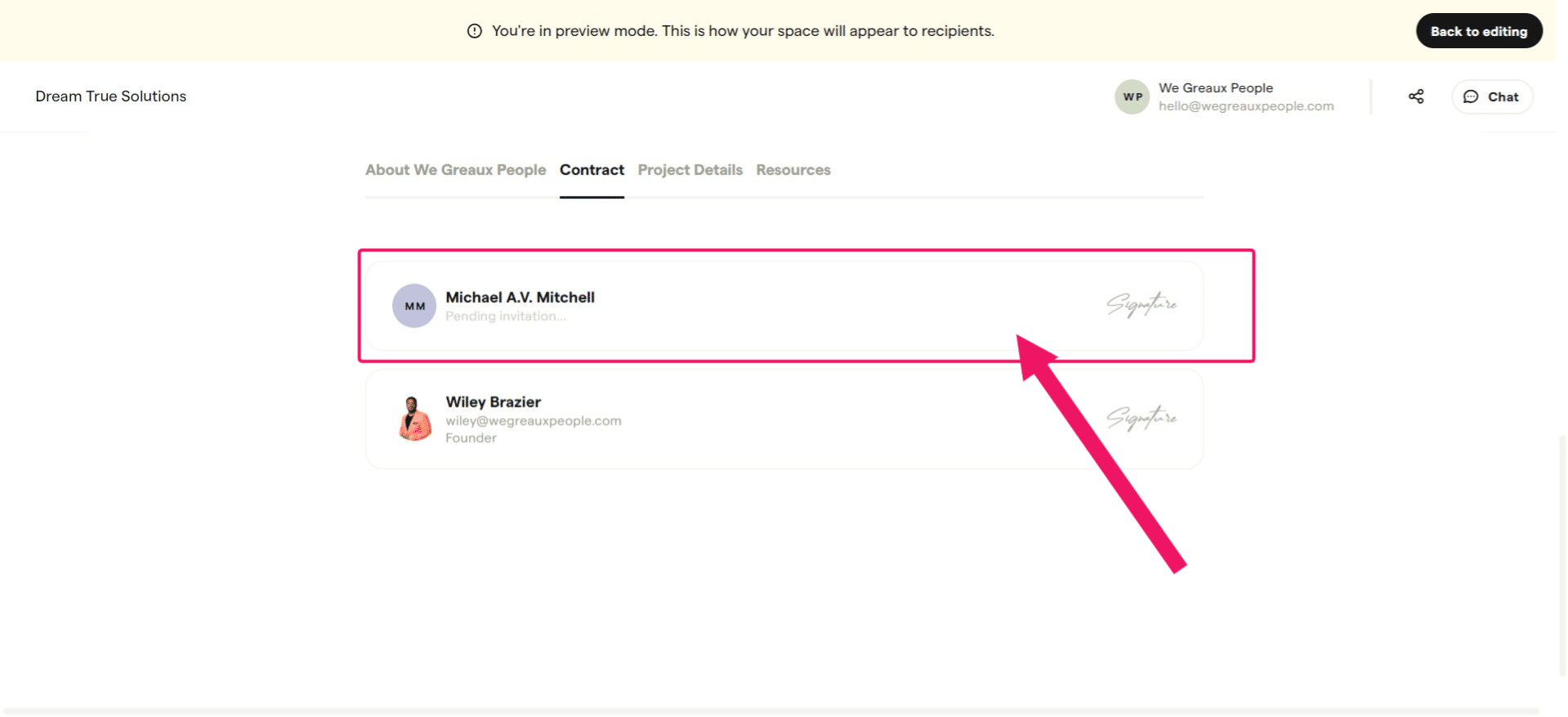
**Scroll down** to see your name. Click on the **signature button** and then type your name as your e-signature.

Make sure to finish the signature and click the save button, if any.