
Zoom Desktop App - How To Create a Conference Call
Learn how to create a conference call within the Zoom Desktop App.
Apr 23, 2024●
1
Make sure you have someone on the line
2
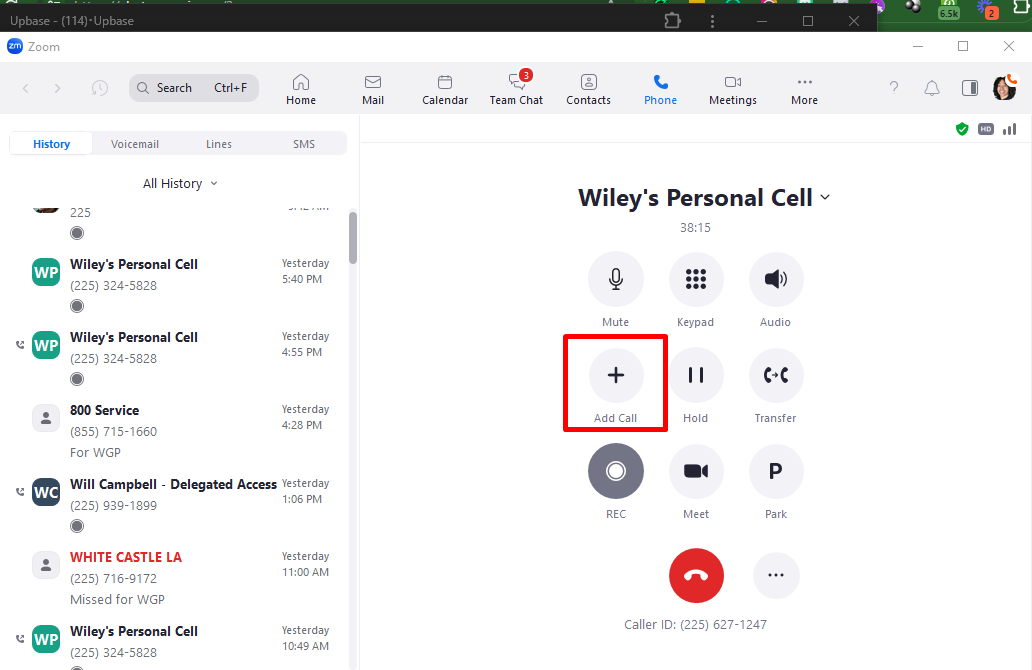
Click on 'Add Call'
3
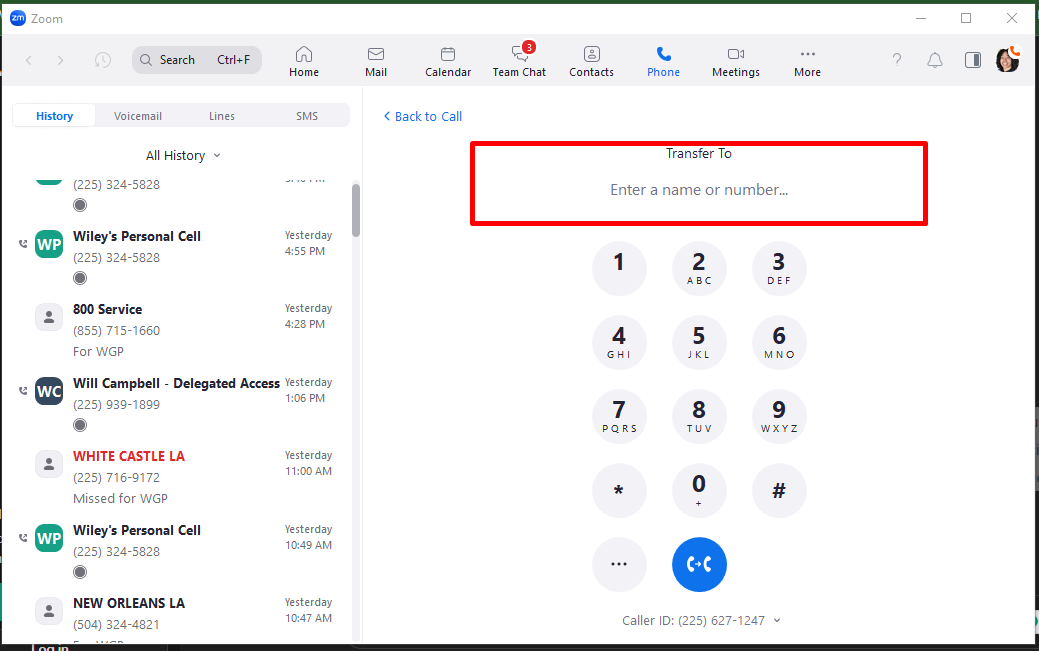
Enter the number of the person you want to transfer the call to
4
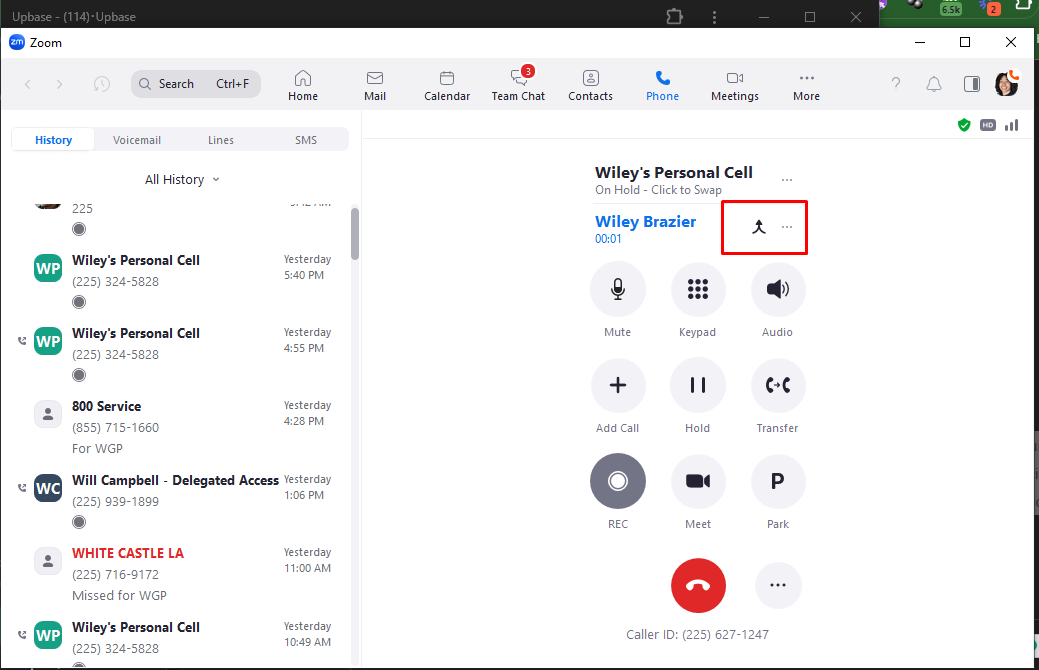
Click on the Arrow to Merge
5
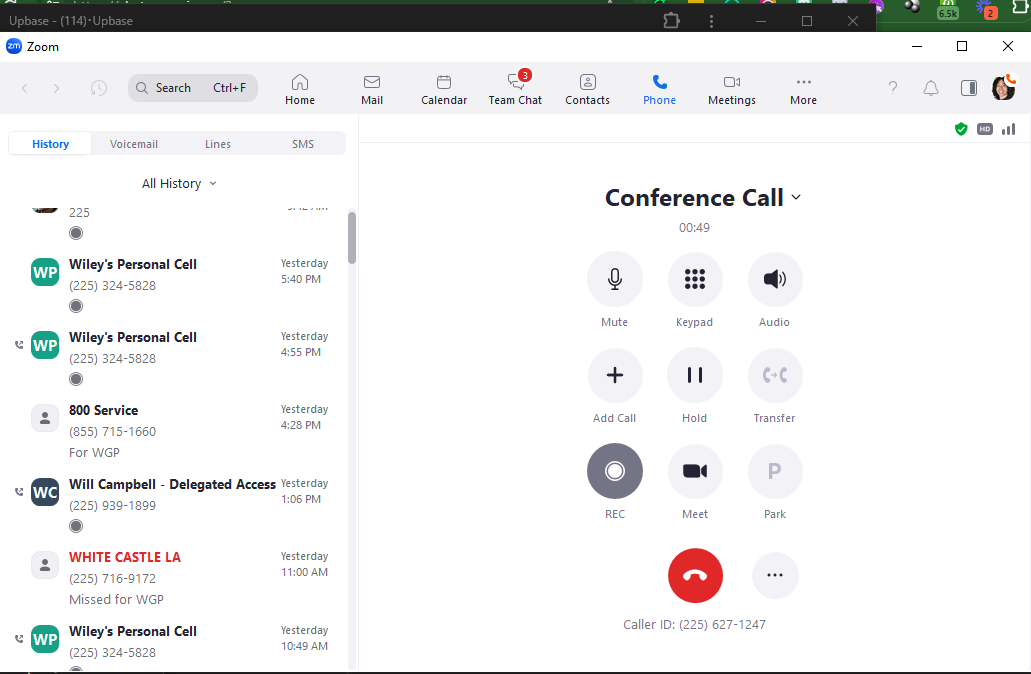
Conference Call (3 Way call) should appear on the top
6
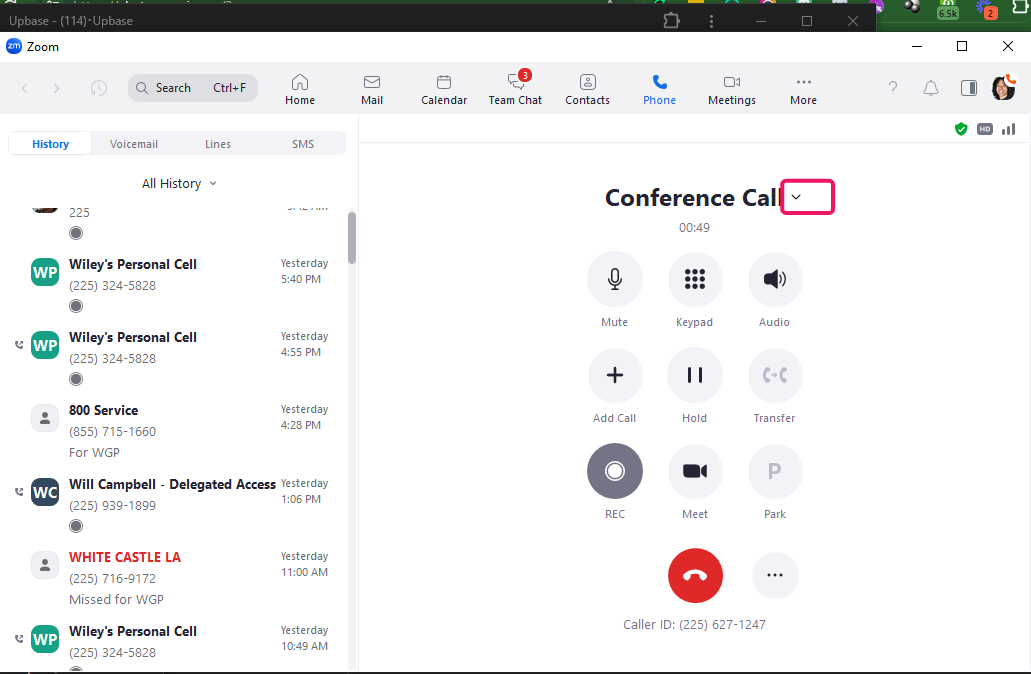
Click on the arrow to remove individual callers from the conference call
7
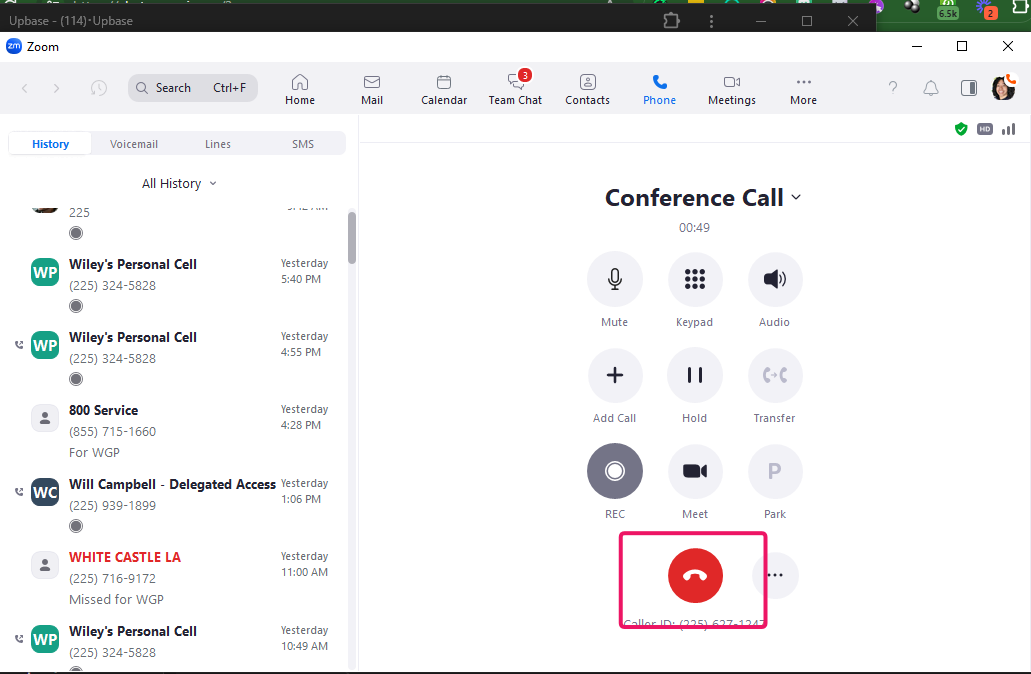
Click on the red button here to end the conference call for all participants
8
Done! 🚀