
Zoom Desktop App - How To Transfer a Call
Master the art of transferring Zoom calls effortlessly with 'Seamless Zoom Transfers: A Quick Guide'. Learn essential techniques for shifting calls between devices, platforms, and participants. From device swaps to troubleshooting tips, this guide ensures uninterrupted communication for professionals, educators, and socializers alike.
May 07, 2024●
1
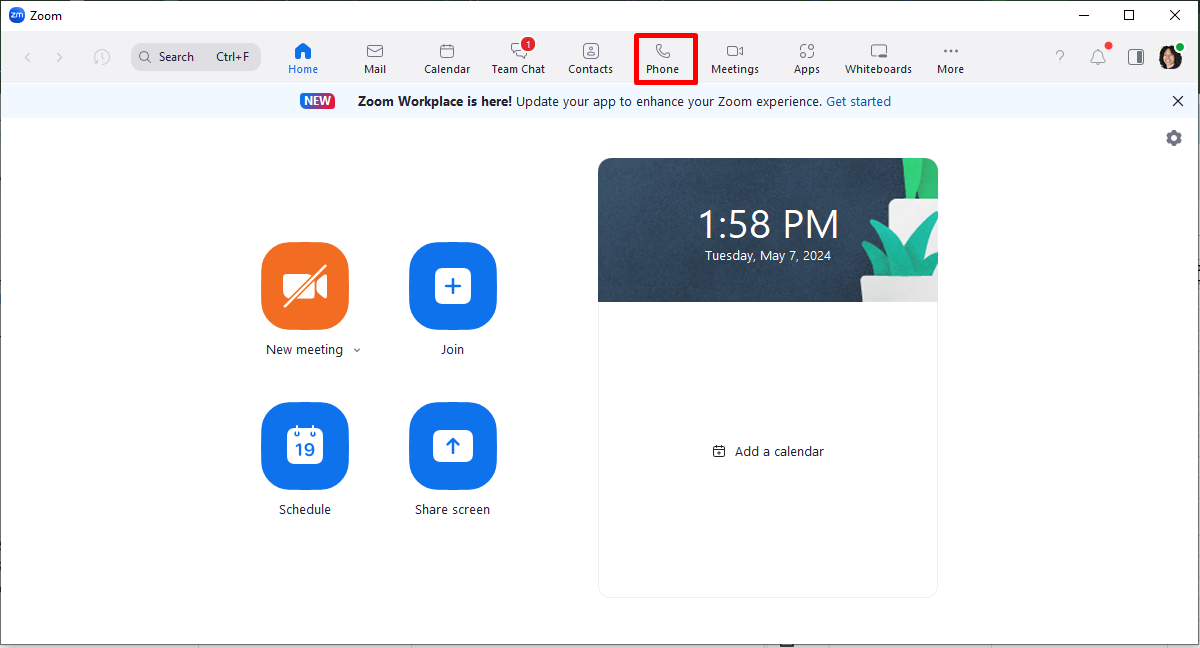
Open your Zoom Desktop App and click on 'Phone'
2
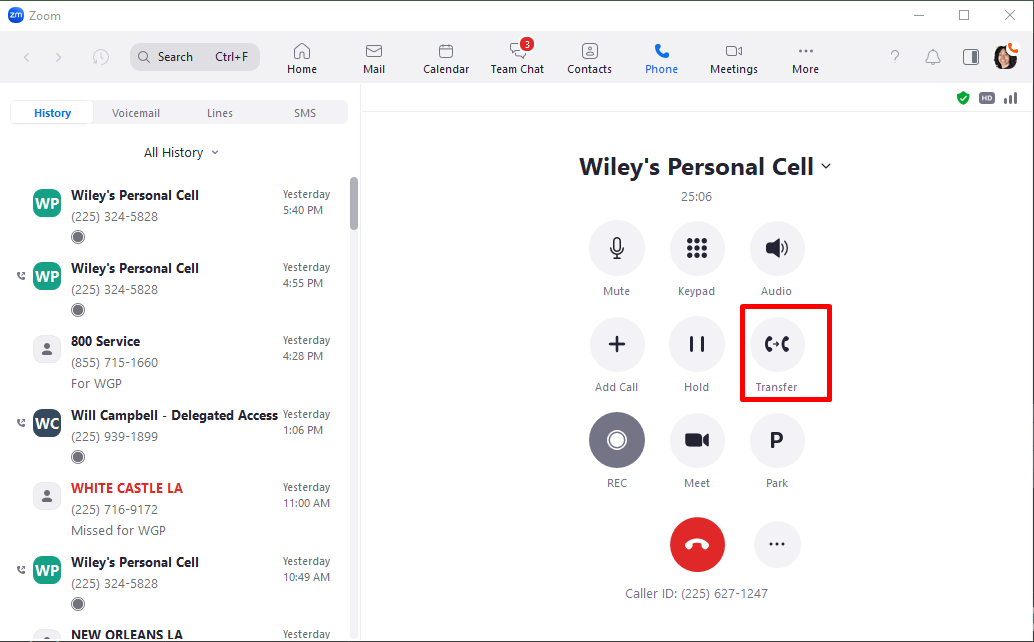
Click on 'Transfer'
3
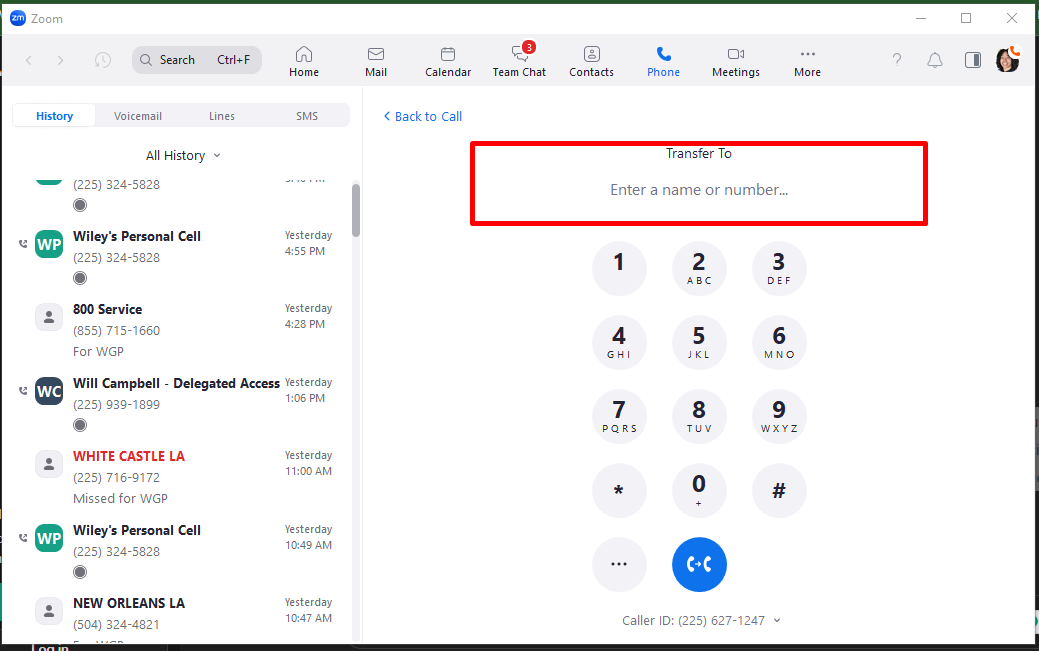
Enter the number of the person you want to transfer the call to
4
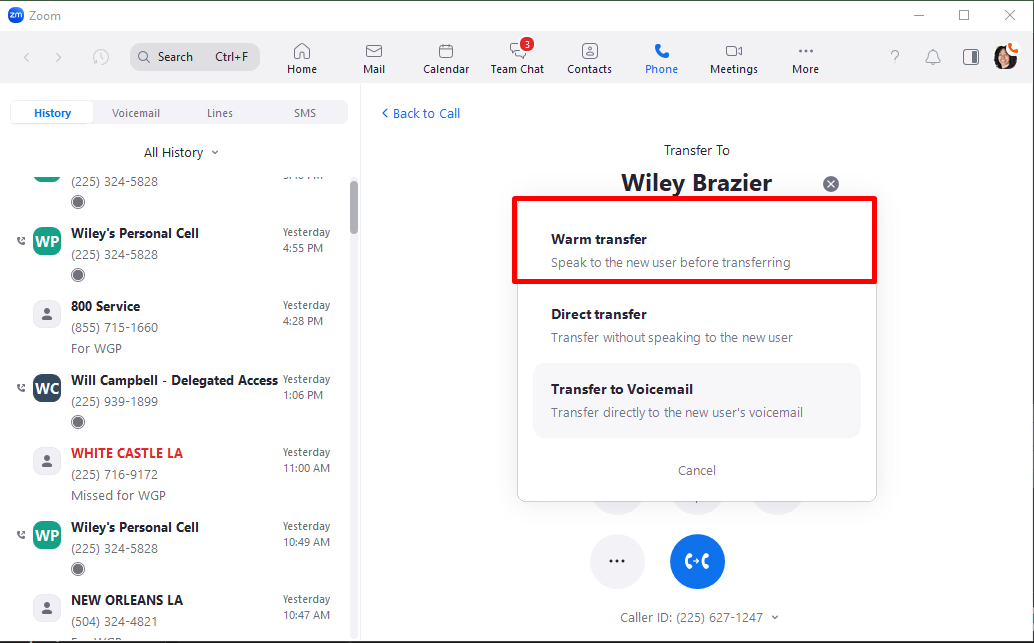
We always do a warm transfer.
5
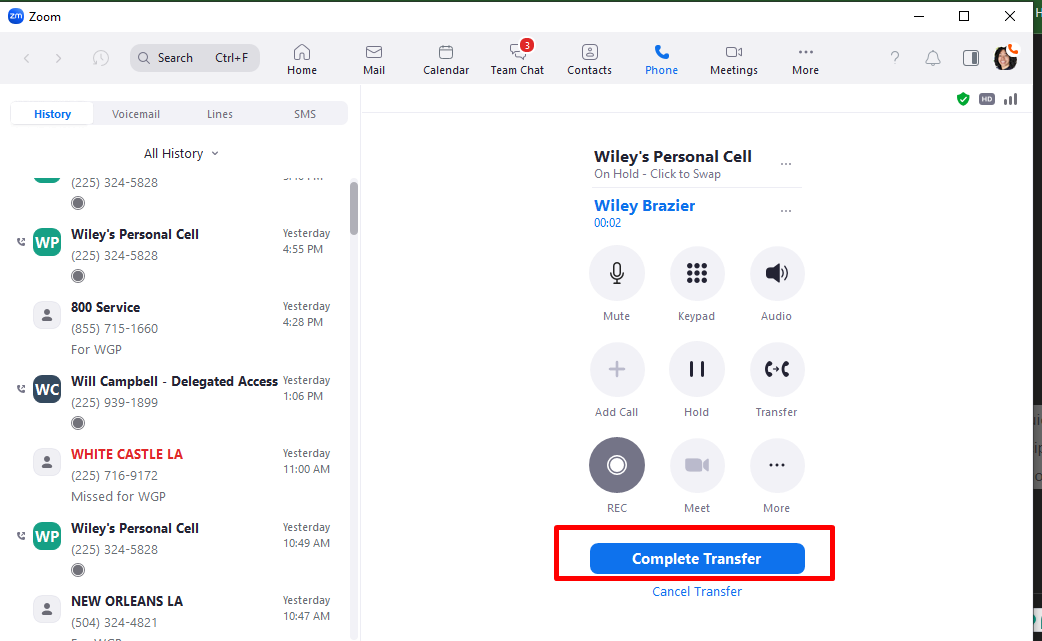
Click on 'Complete Transfer'
6
Done! 🚀