
Workspace Transfer Token Process
Add as many steps as you want below to create a step by step guide. You can upload your own screenshots (or) videos to create a more engaging guide. Once you click on 'Finish', you'll be able to view this guide as a scroll or as an interactive demo video.
Mar 12, 2024●
1
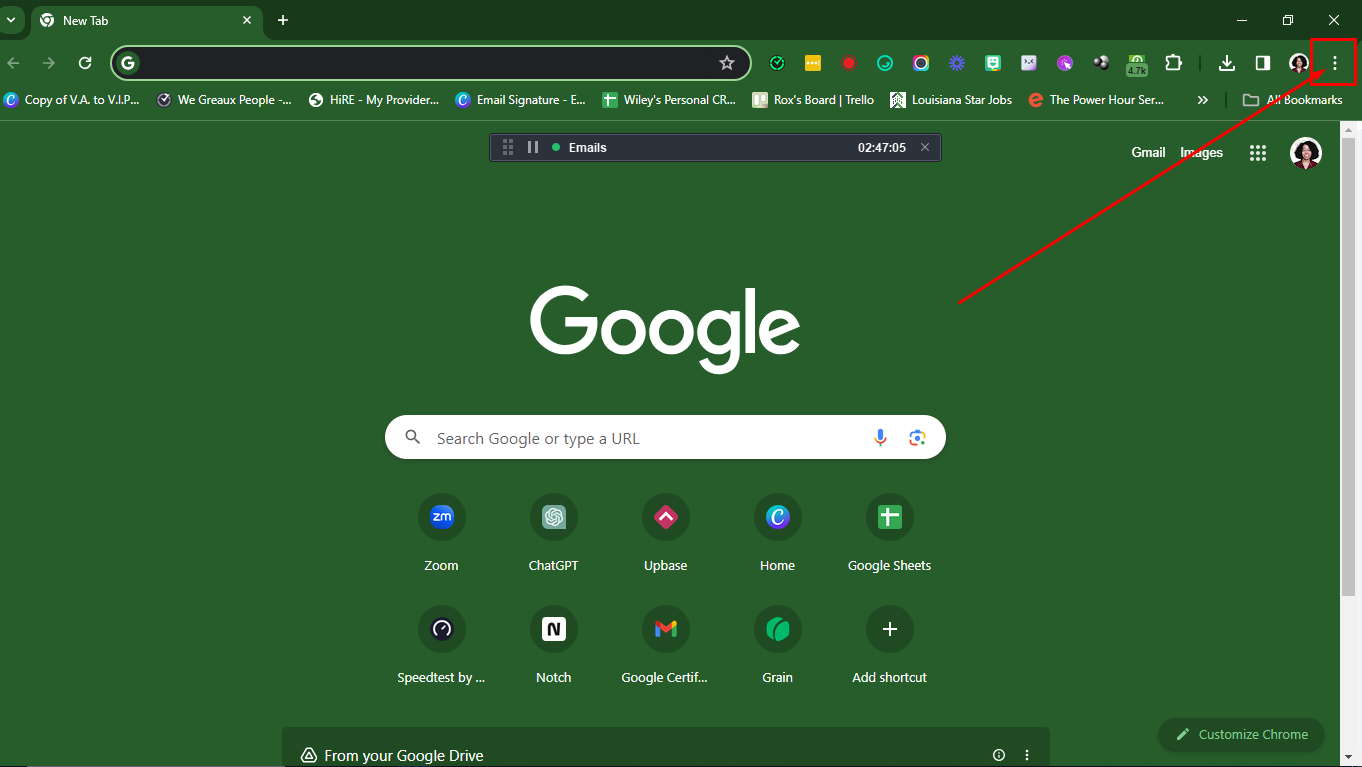
Open a new Incognito Window. Click on the three dots (if you're using Google Chrome).
2
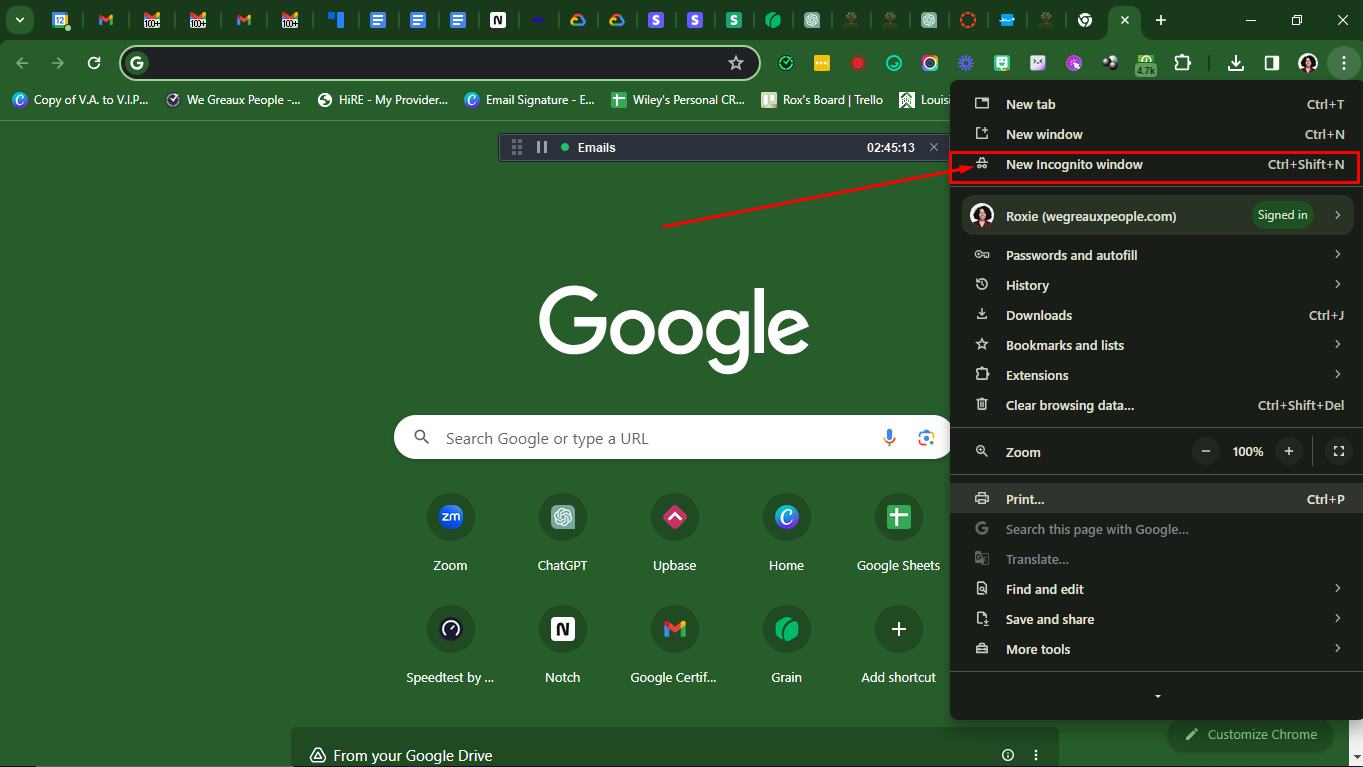
Click on New Incognito Window.
3
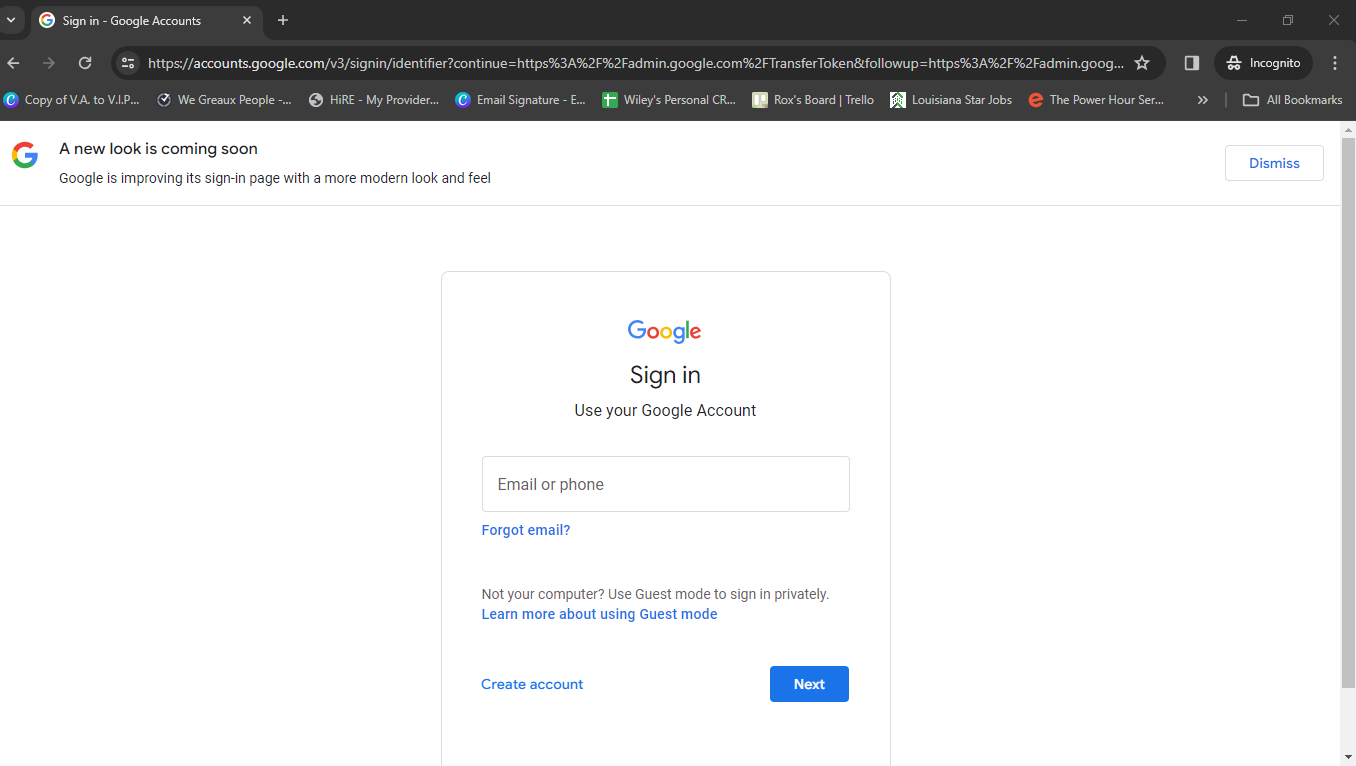
Navigate to this link (admin.google.com/TransferToken)
)](https://assets.guidejar.com/uploads/UkG3W1KT5aRb3KUqY9oA/bqWucQdQNhc1YxfrwKTlvhz8lYj1/ef5a8825-10f2-4251-8304-85bf521f1c1f/1710264336257.jpeg)
4
Sign in using the login credentials of the domain that will be transferred over to We Greaux People
5
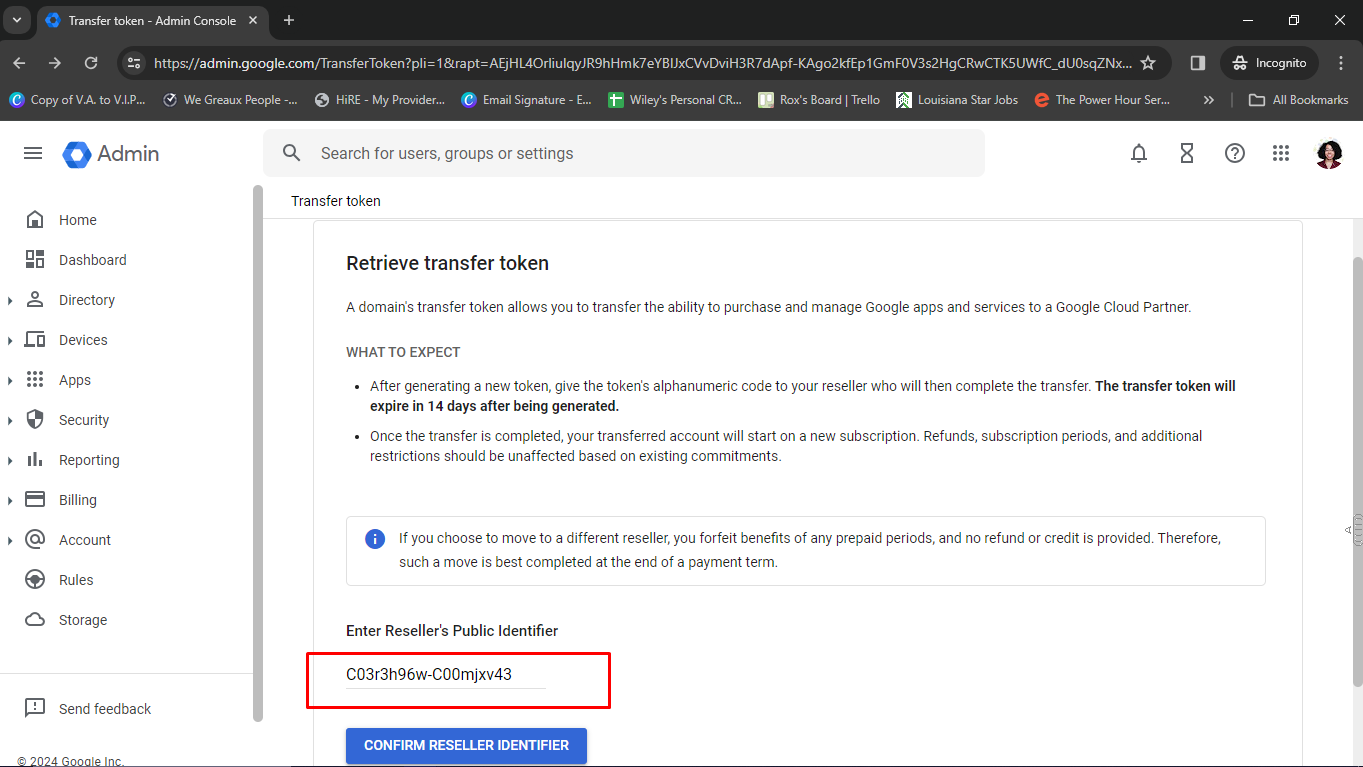
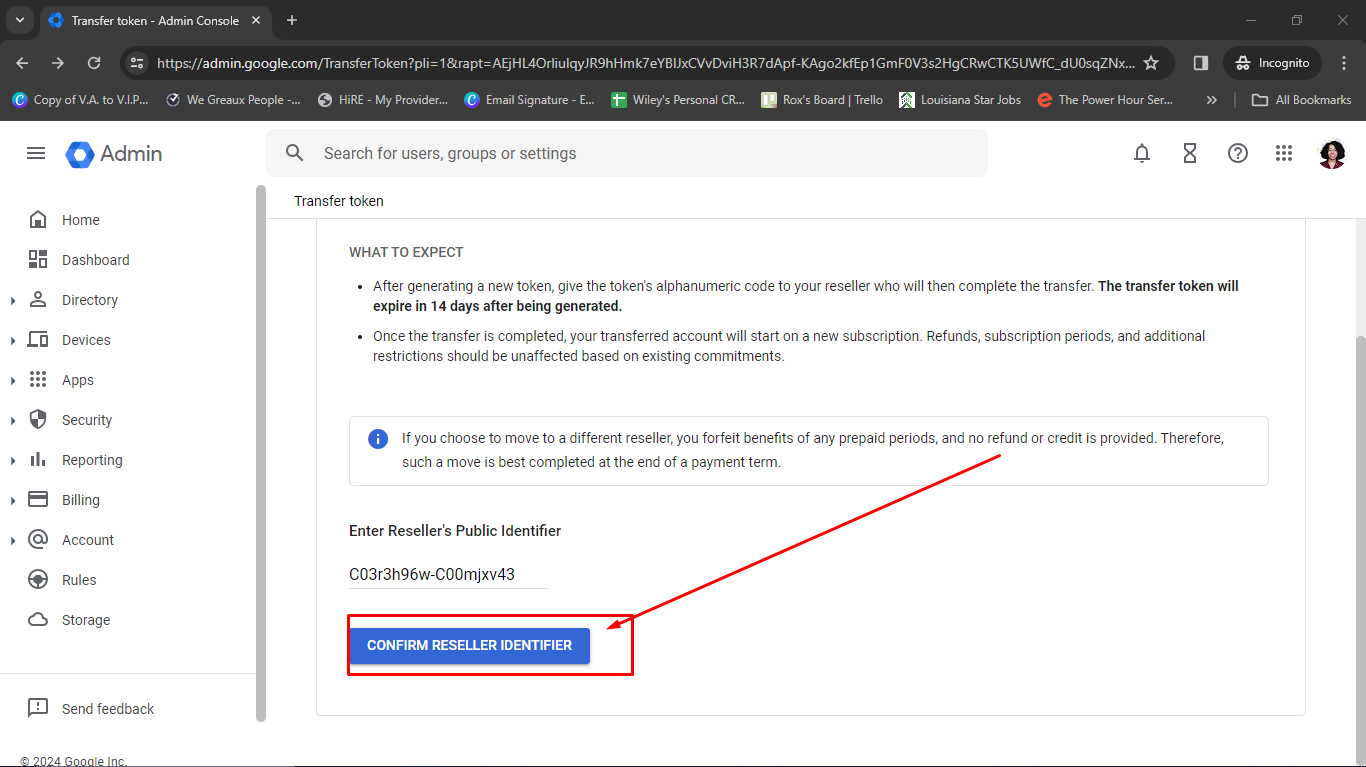
Copy and paste this code (C03r3h96w-C00mjxv43) in the location below.
6
Click on 'Confirm Reseller Identifer'
7
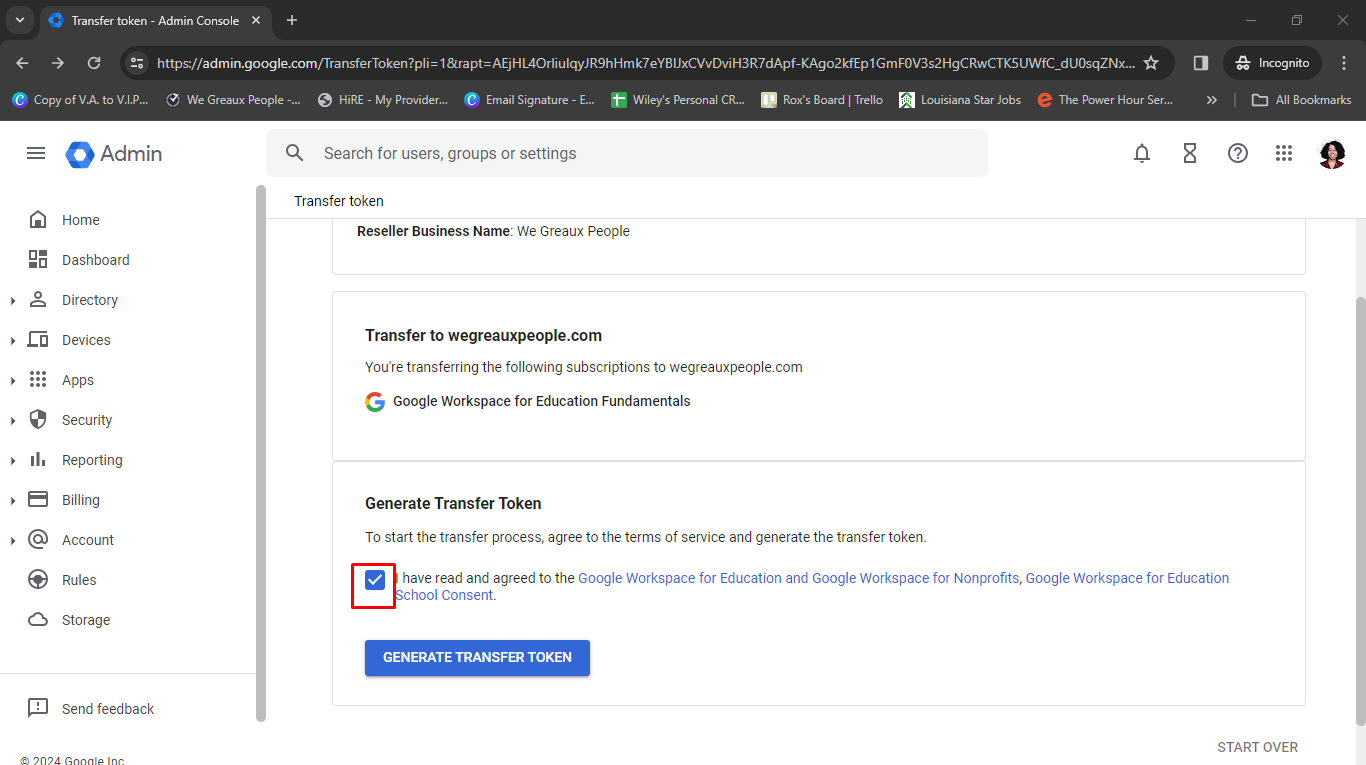
**Click on ** the checkbox
8
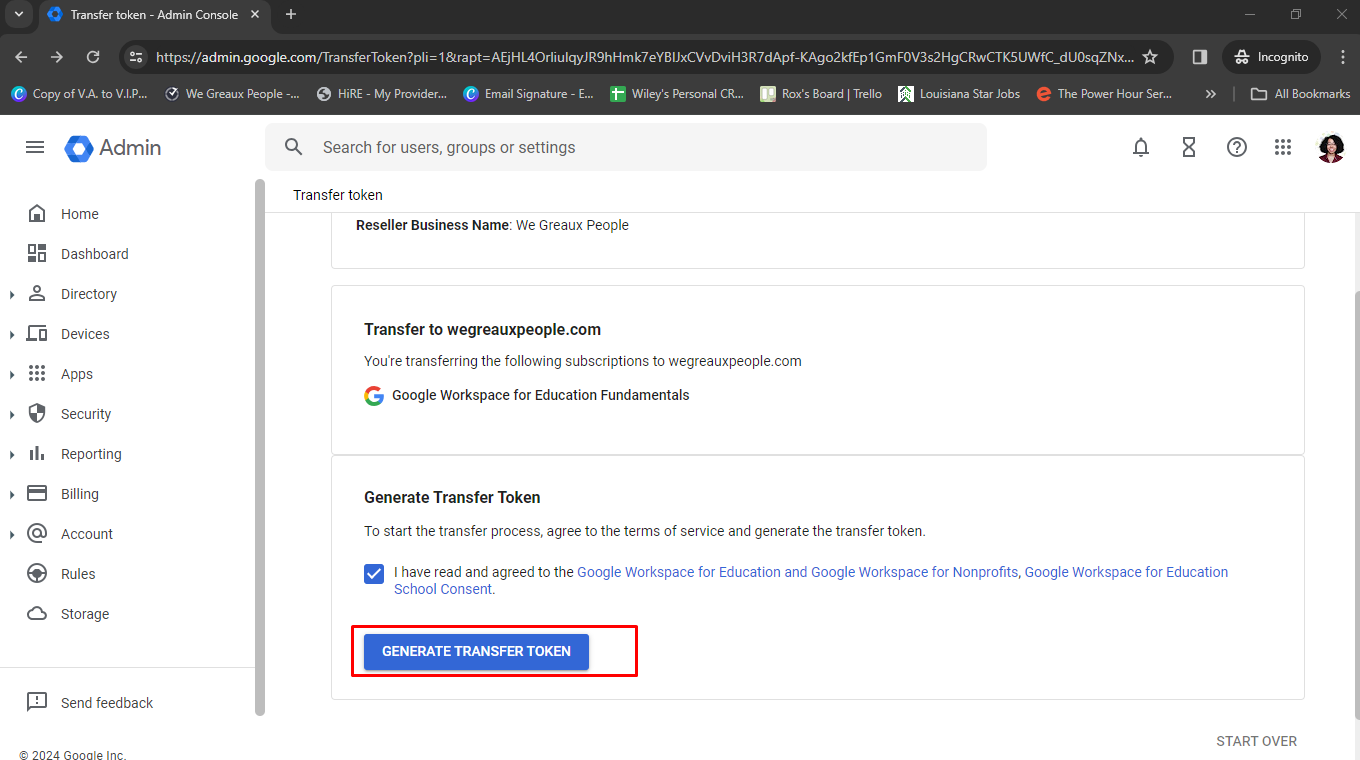
Click on 'Generate Transfer Token'
9
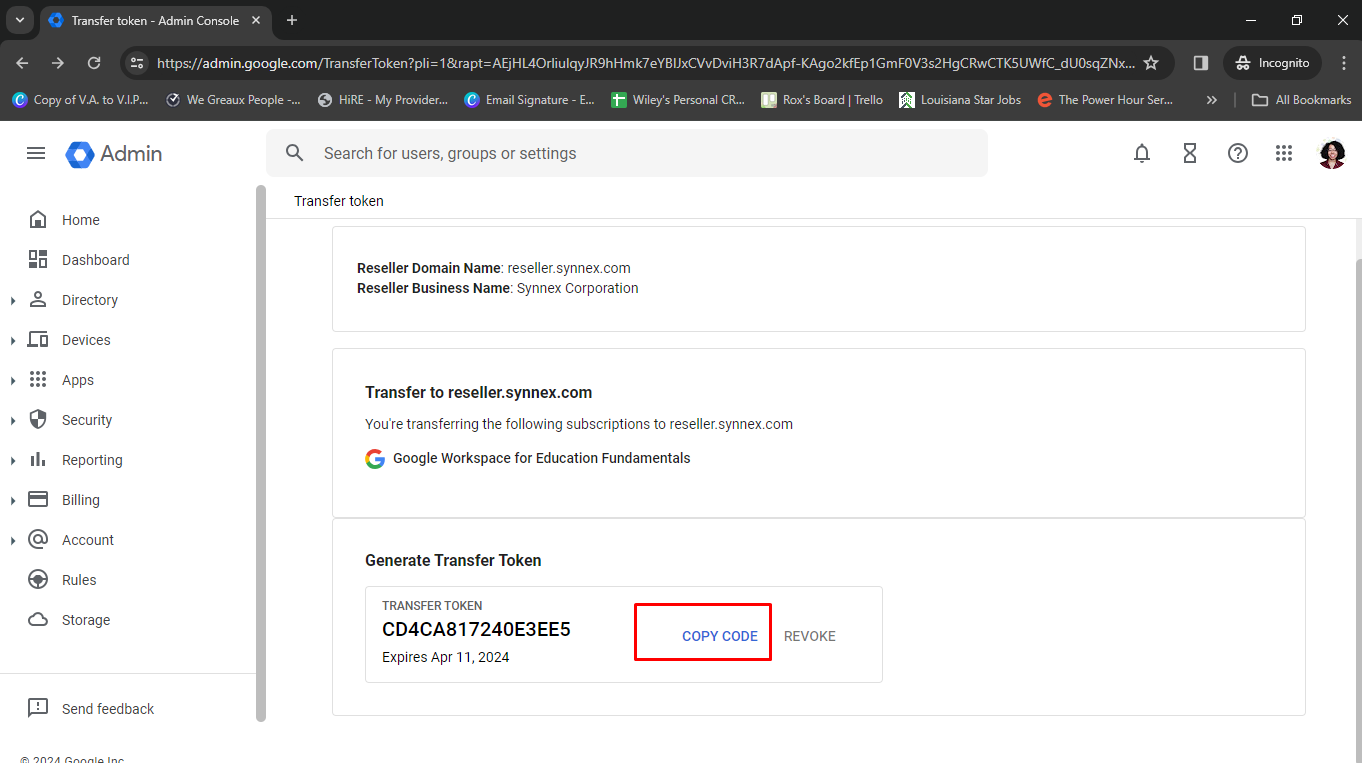
Click on 'Copy Code' and send that code over to us!
10
Done! ✅