
How to add a document in Google Drive
Learn how to add documents into Google Drive.
Apr 27, 2024●
1
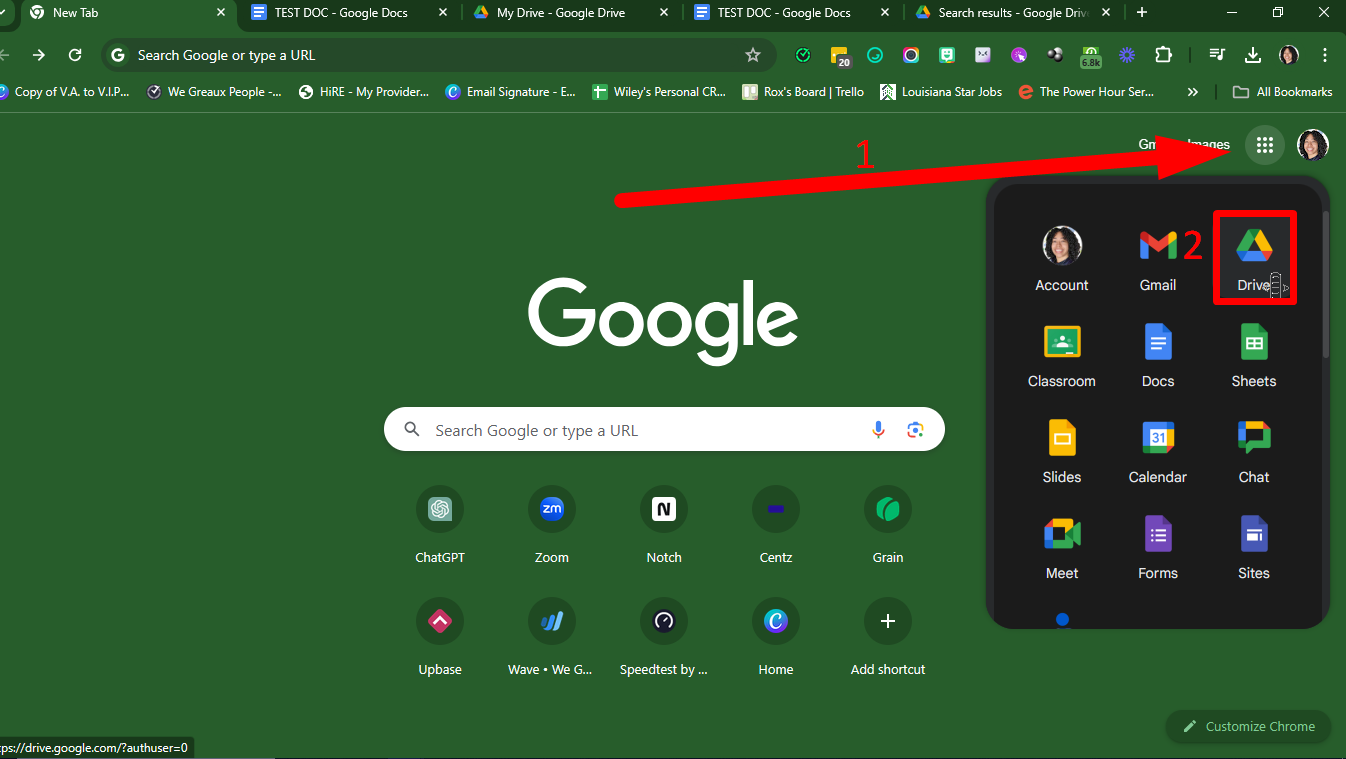
Open your Google Drive
2
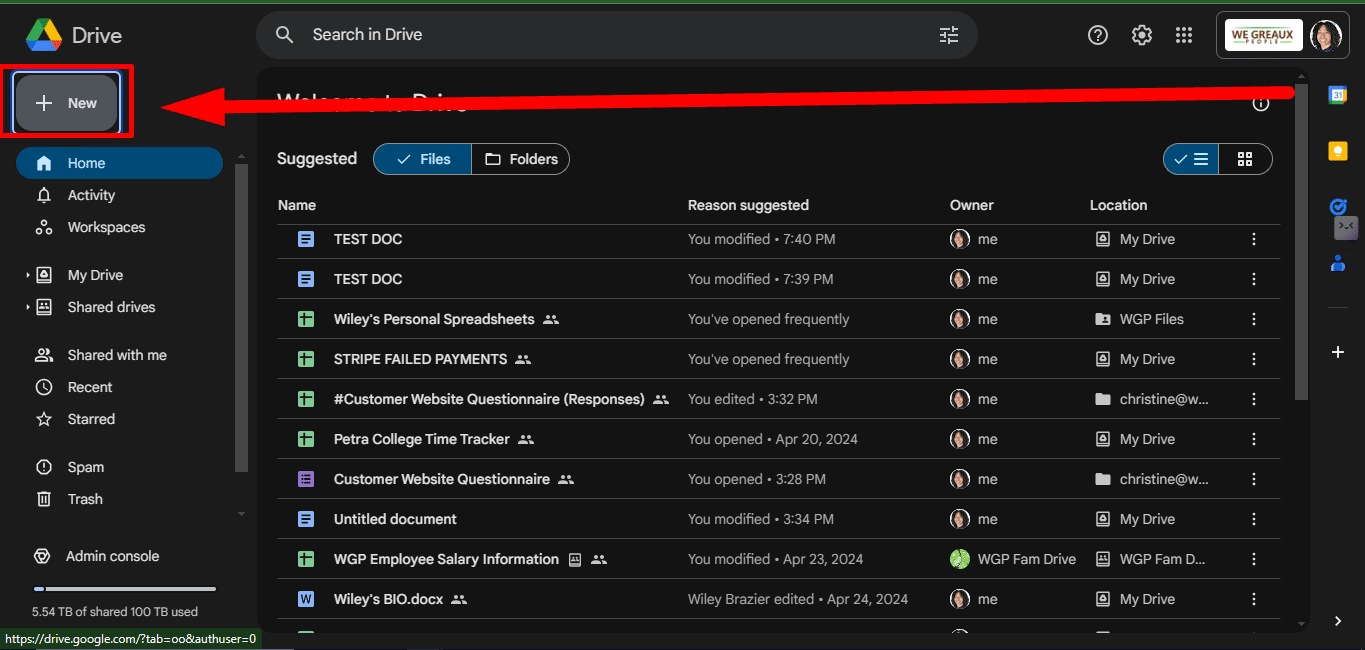
Click on 'New'
3
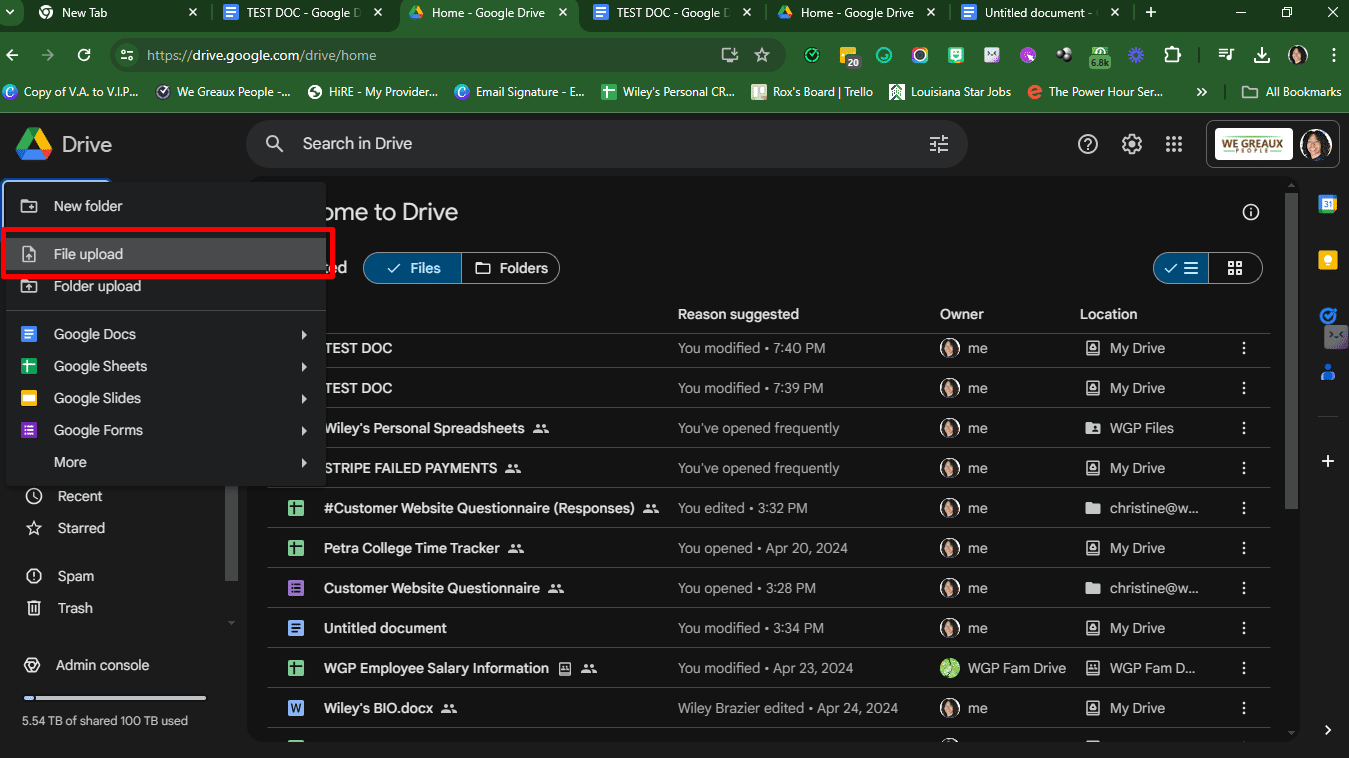
Click on 'File upload'
4
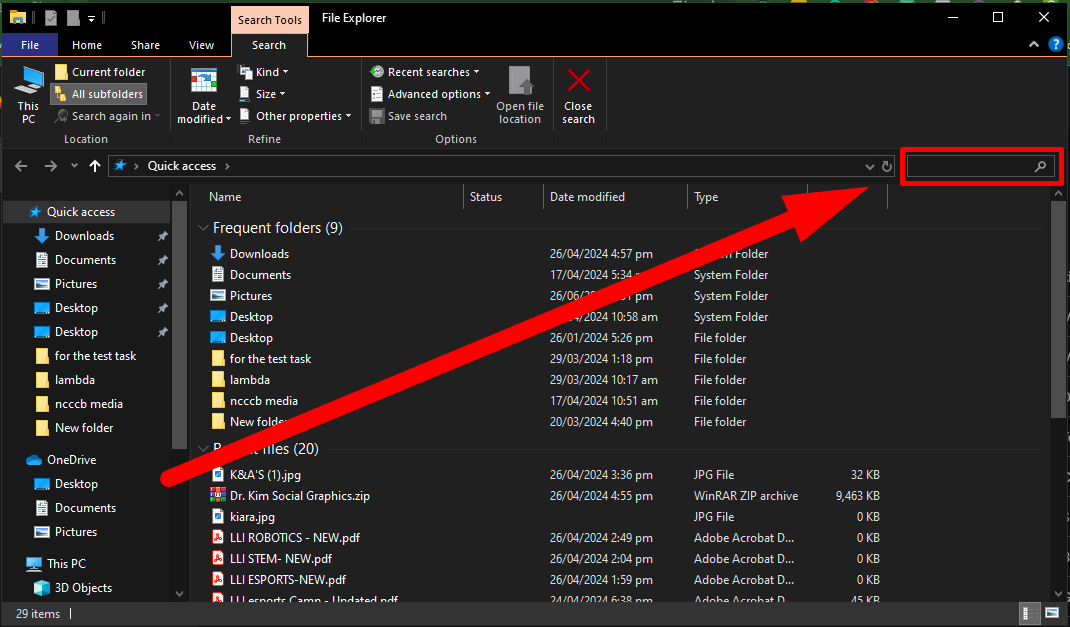
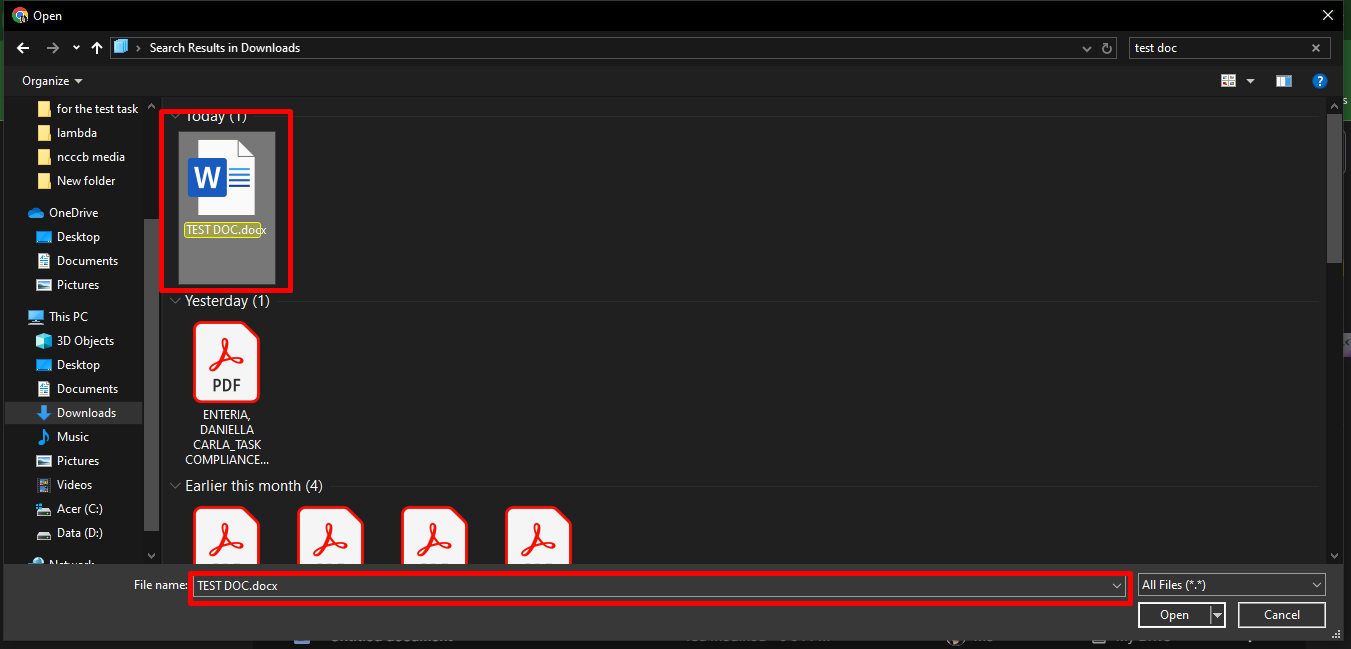
Search for the document you want to upload
5
Click on the document you want to add. The name of the document should appear on the 'File name' bar below
6
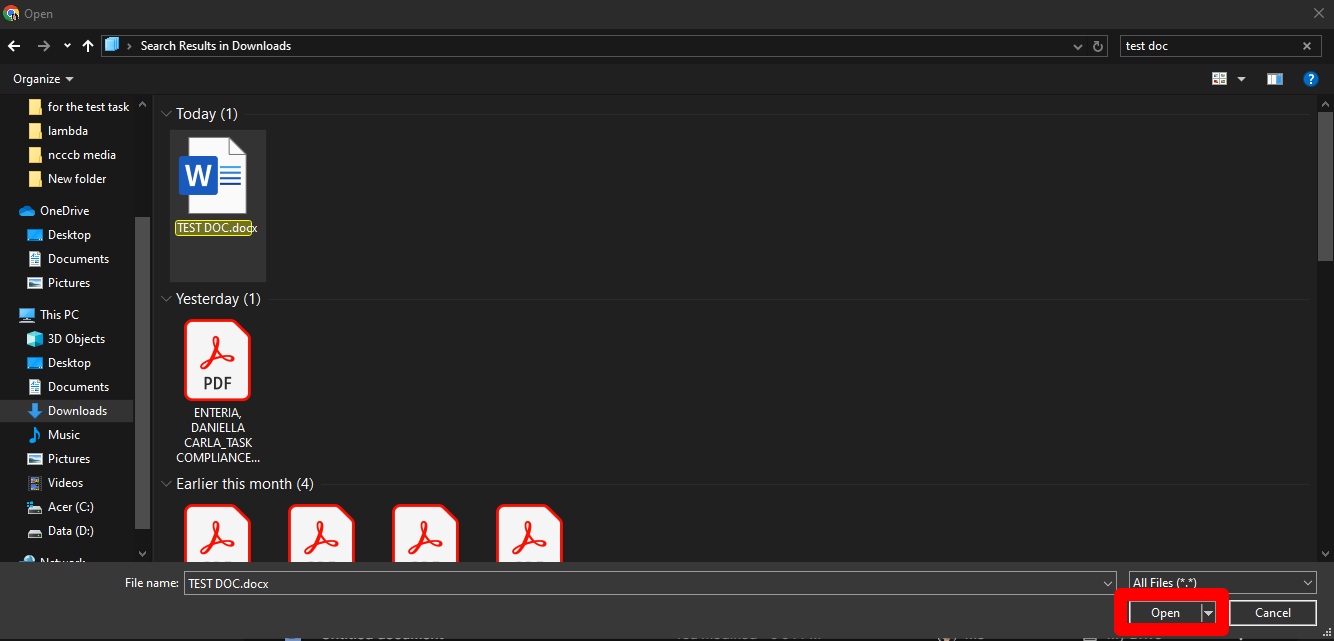
Click on 'Open'
7
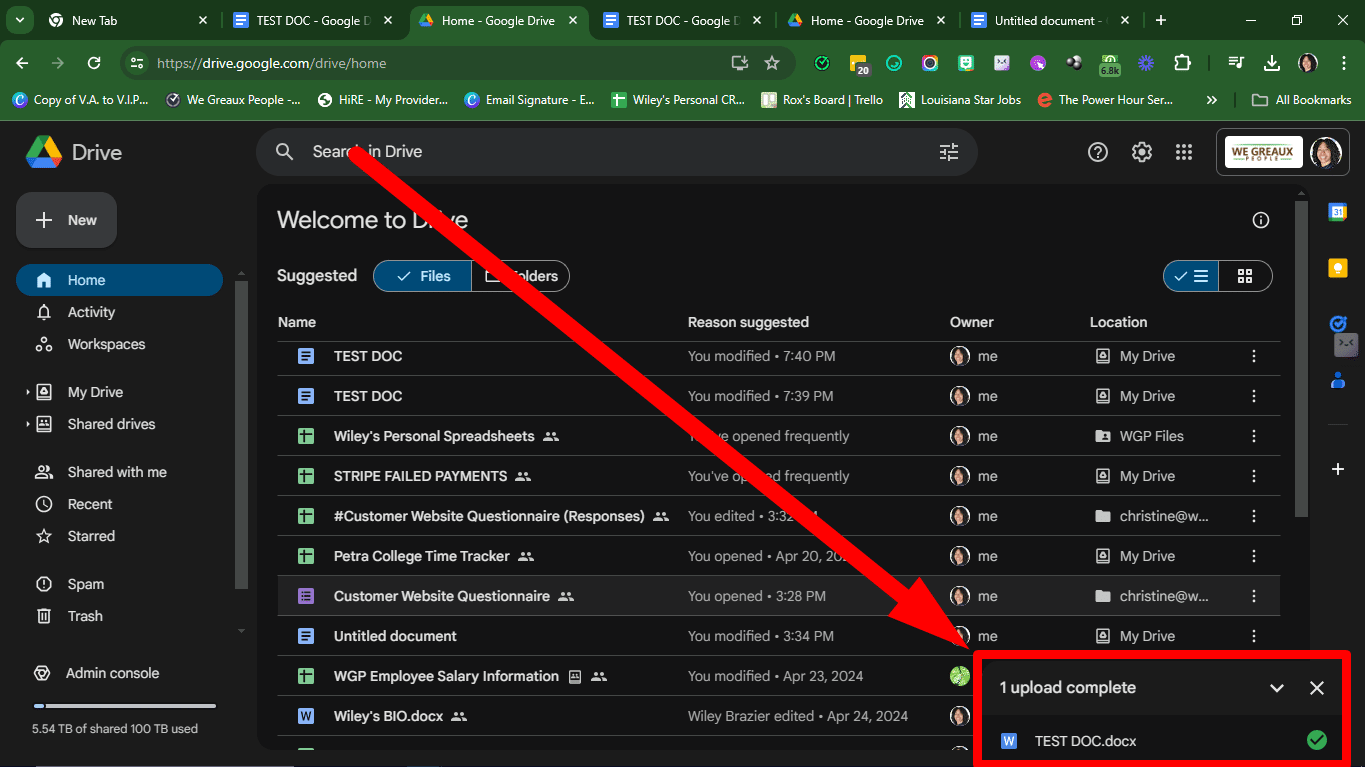
The file will be uploaded into Google Drive
8
Done! 🚀