

How to Accept Invitation for Canvas
Sep 19, 2024●
1
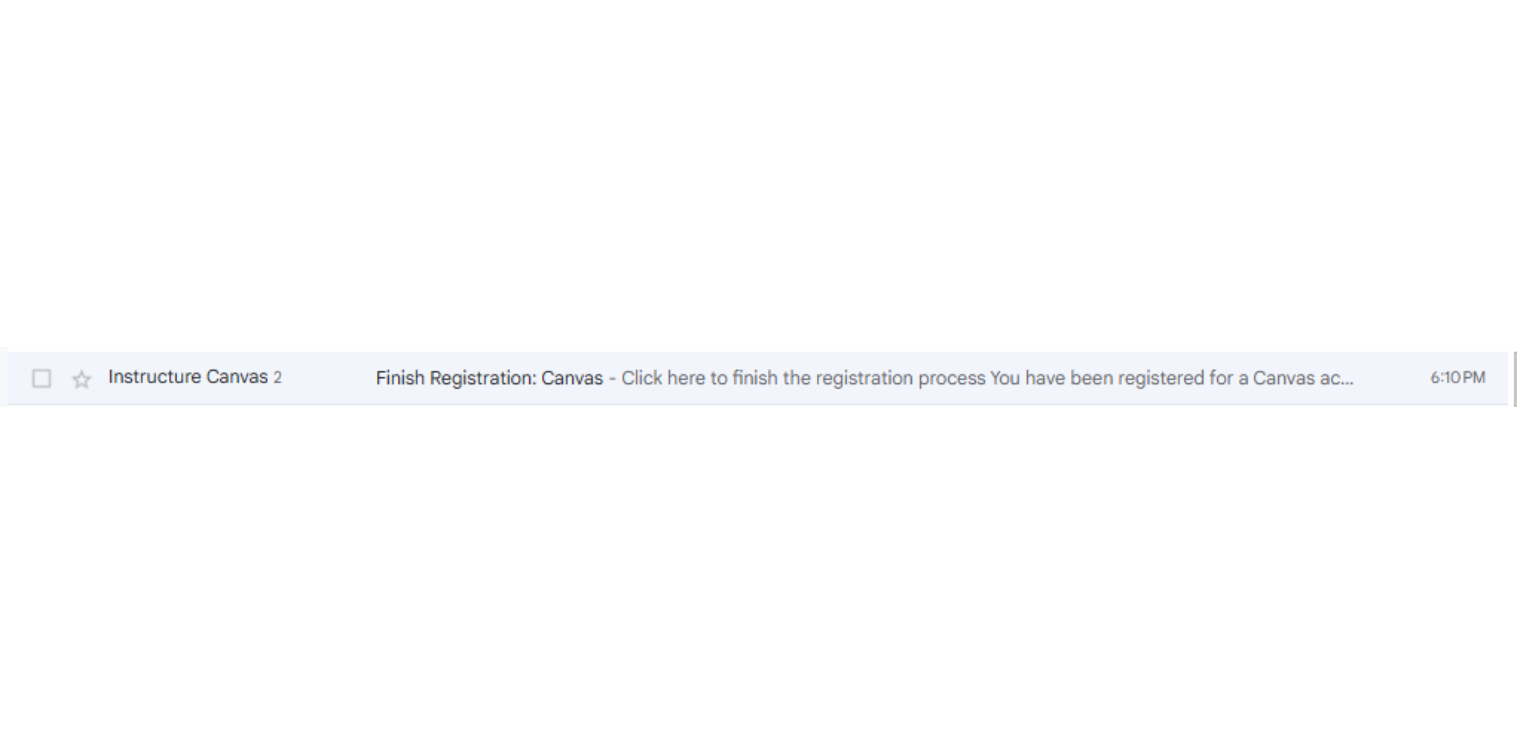
Click on the email with the subject, "Finish Registration: Canvas" that was sent to your email.
2
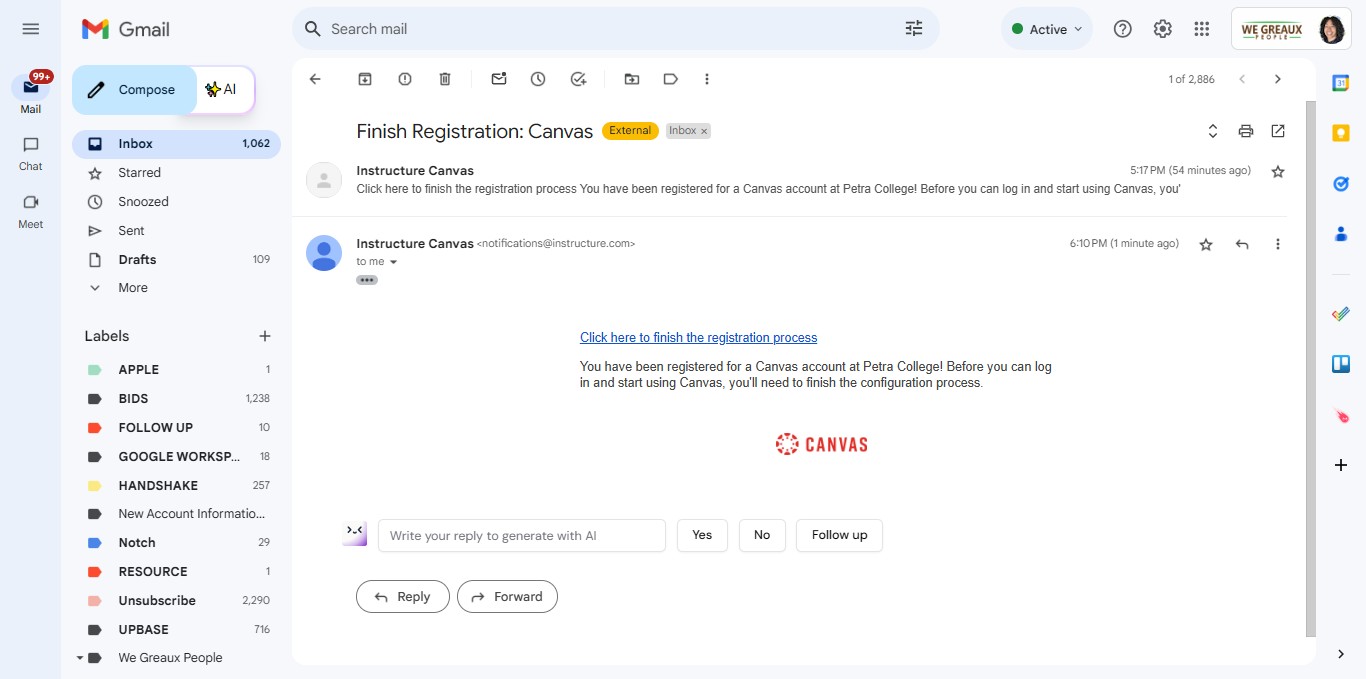
Click on the link that says 'Click here to finish the registration process.'
3
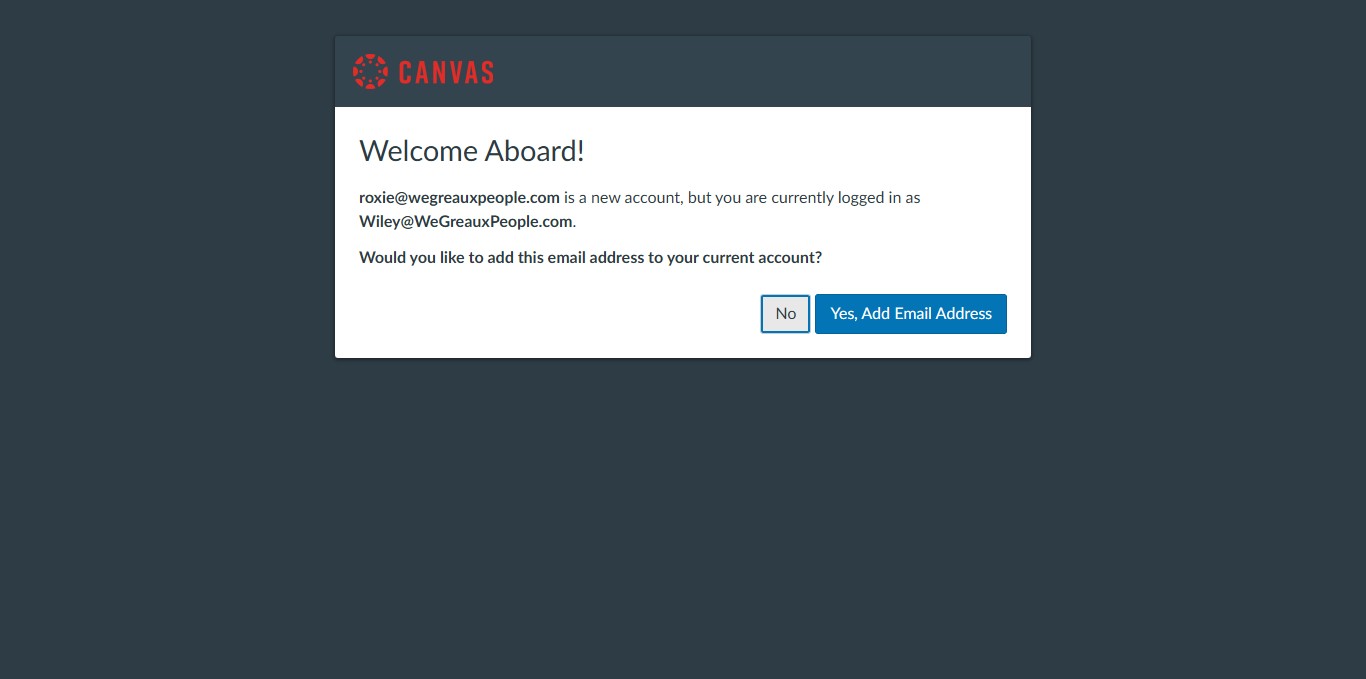
If you already have an email registered with Canvas, you'll see this screen. Click 'No' for now.
4
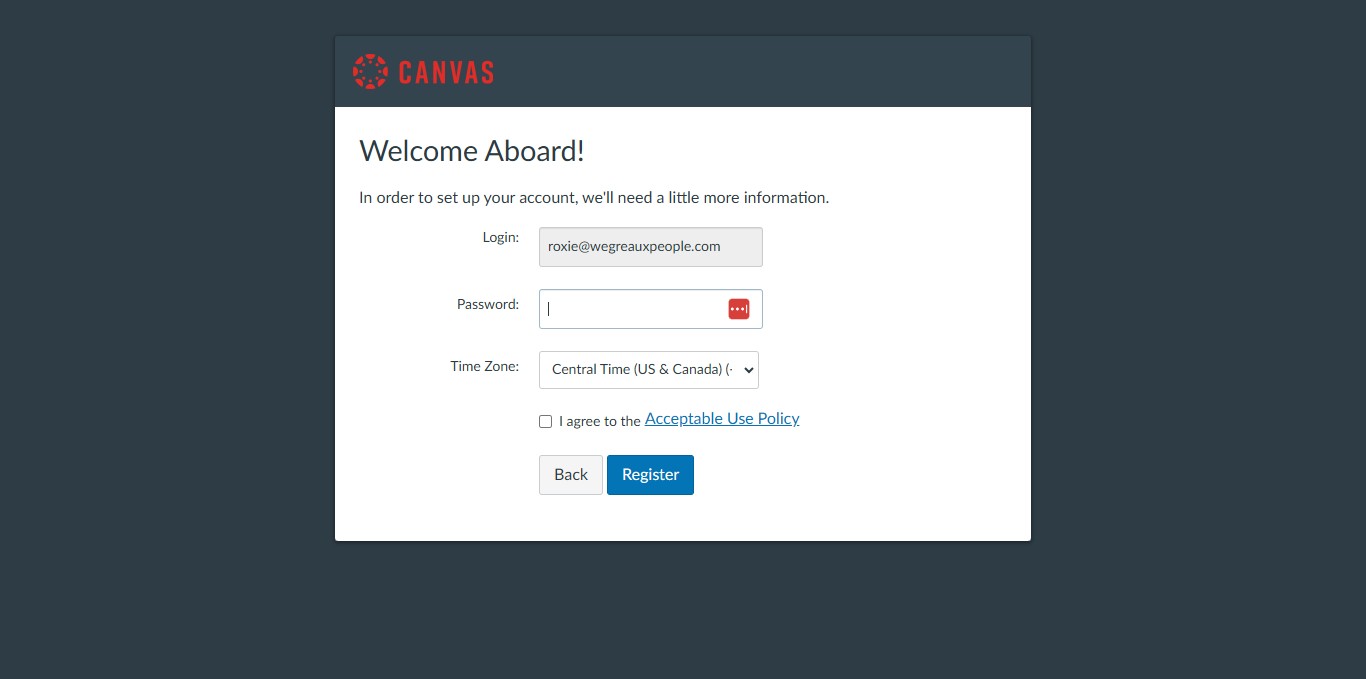
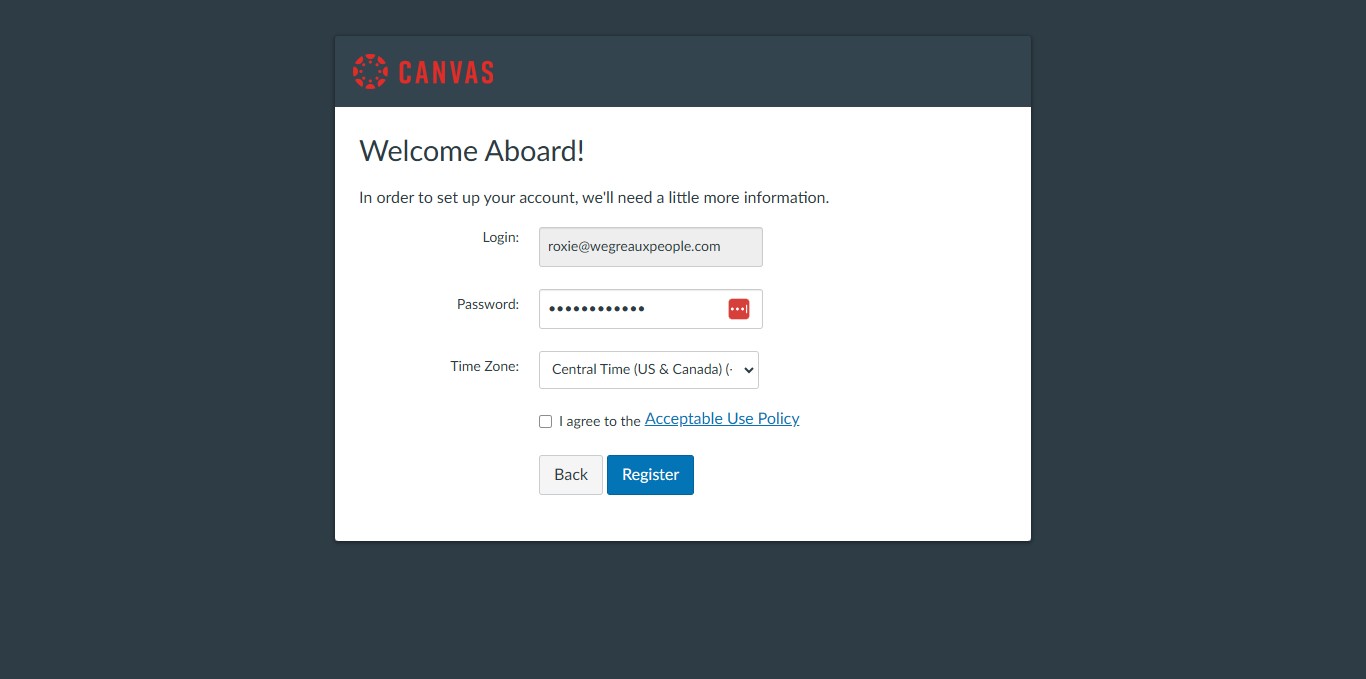
Create your password here.
5
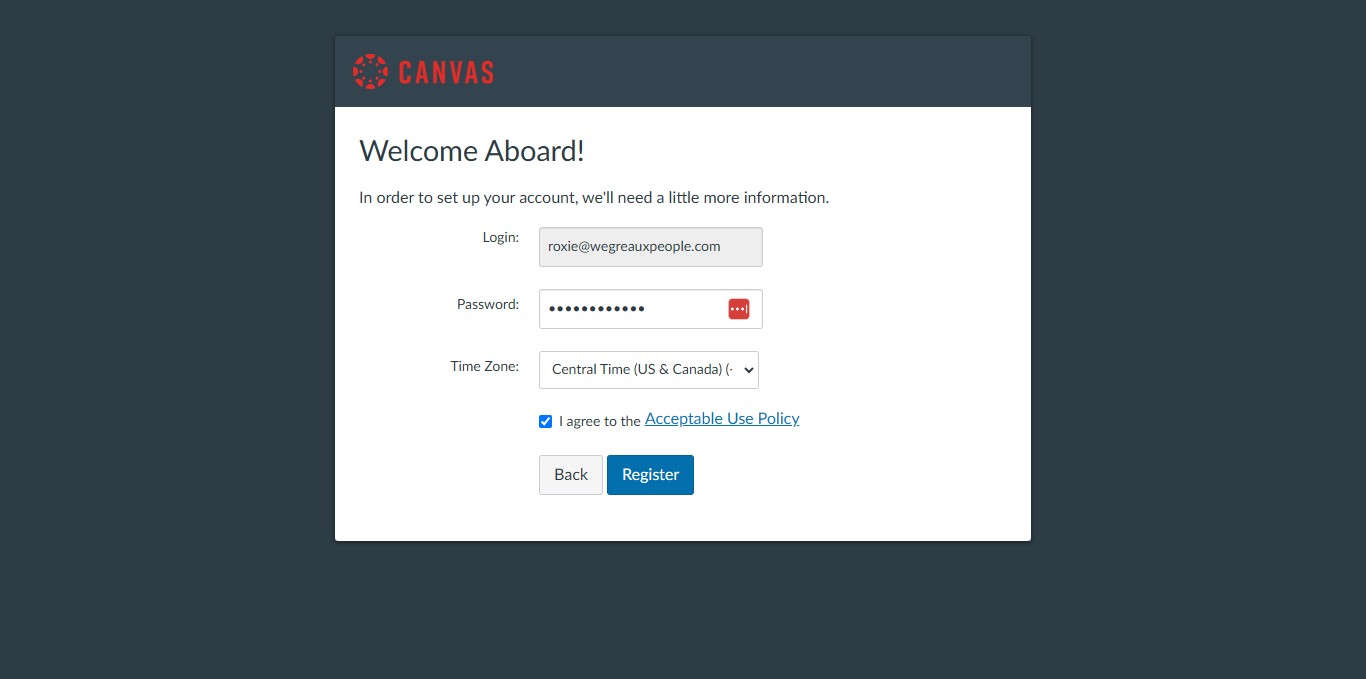
Check the box that you agree to the policy.
6
Click on "Register"
7
Done! 🚀