
How to Add Members in a Google Group
This guide will explain how to add members to your Google Group.
Jun 06, 2024●
1
Navigate to https://groups.google.com/my-groups
](https://assets.guidejar.com/uploads/2oW3wsRxmosRBtK7eRXx/bqWucQdQNhc1YxfrwKTlvhz8lYj1/0779bac5-f60d-4a49-9023-635354c4291c/1717686553571.jpeg)
Note: Use Incognito (Private) mode to avoid issues with logging into the correct account.
2
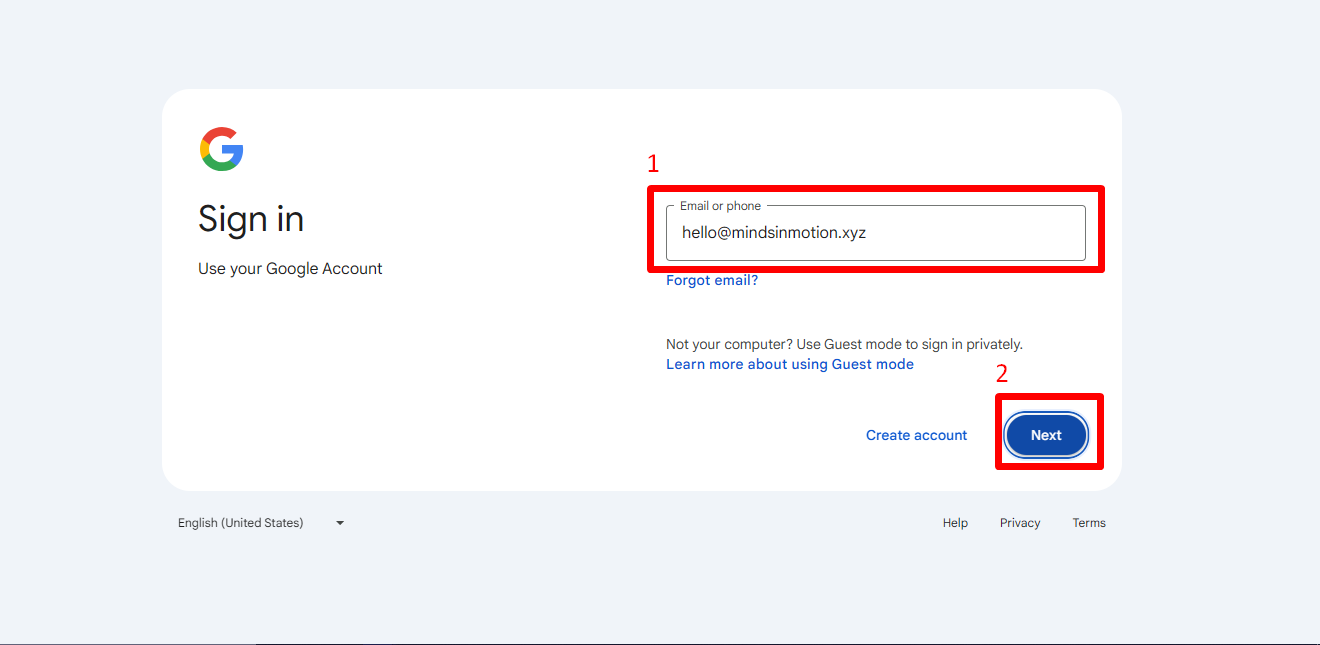
If prompted to log in, do so.
3
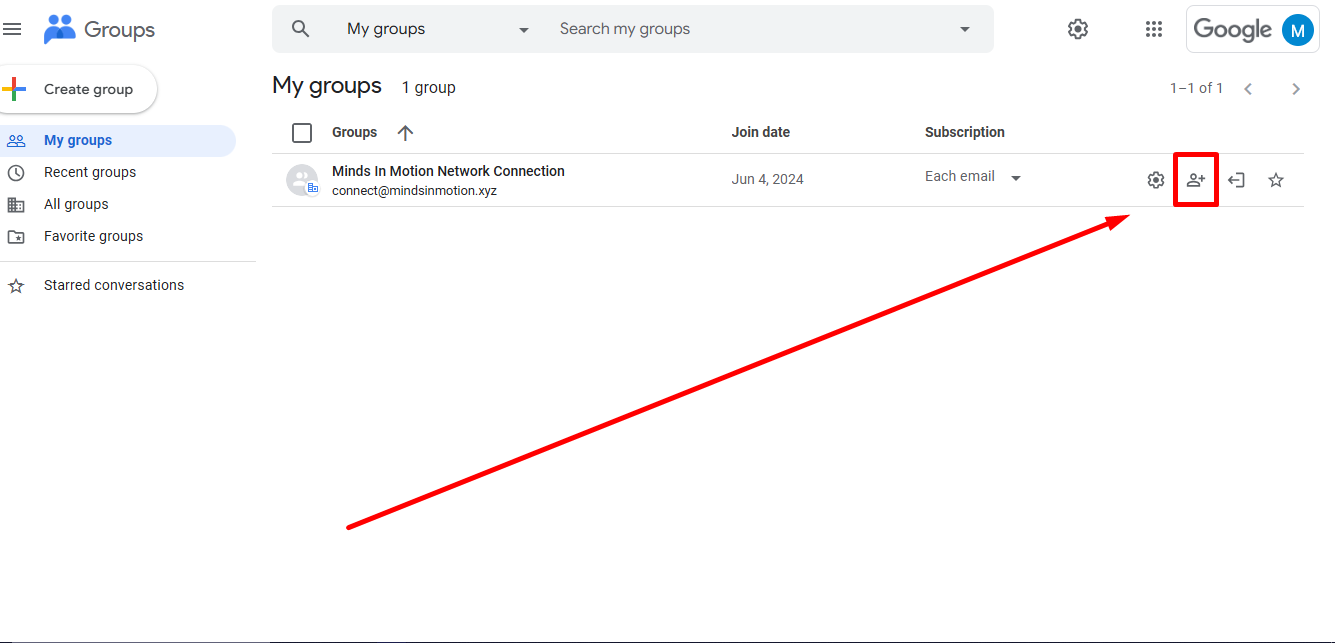
Once you've logged in, click on the 'Add Members' button next to your Group Name.
4
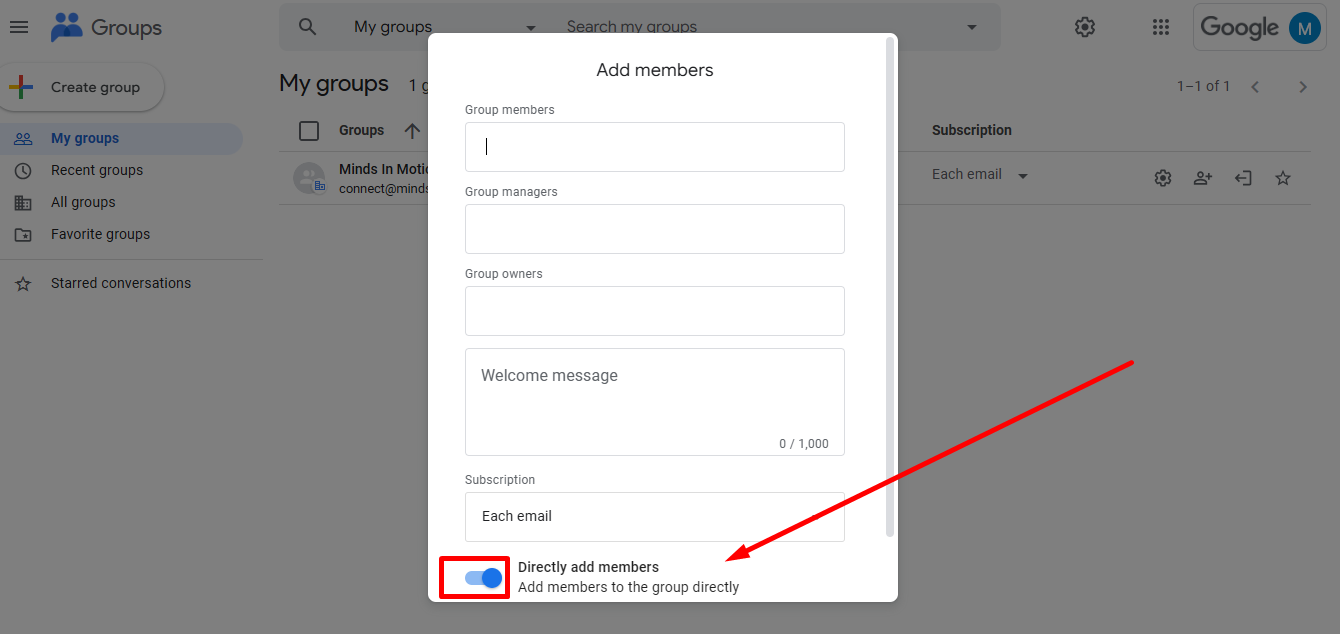
Click on 'Directly add members' to turn OFF this option.
5
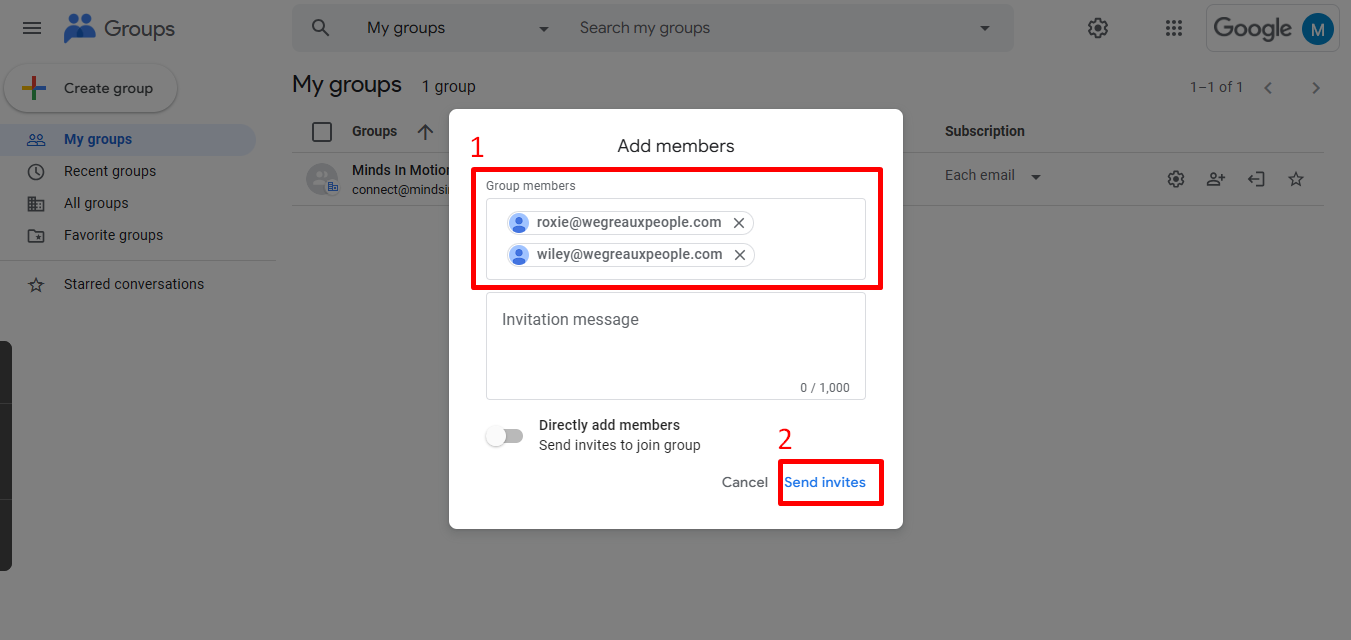
- Enter the email addresses of the people you want to invite.
- Click 'Send invites'.
6
Done! 🚀